2025
designing a task management system to improve team collaboration
Systems Thinking, User Research, Scaling Design Systems, Project Management, Feature Ownership
CONTEXT
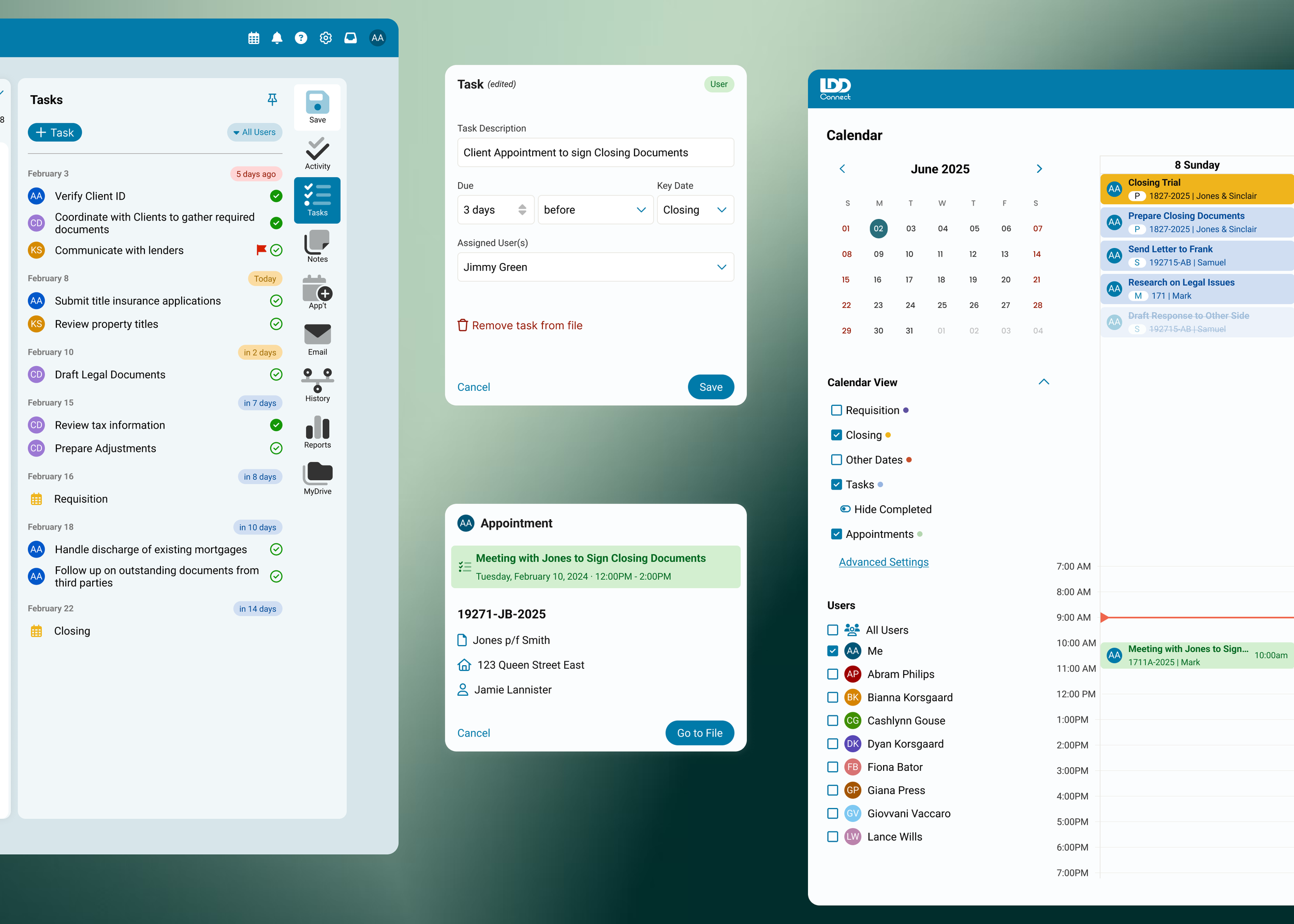
I designed a 0-1 task management feature for Realti, a SaaS application for real estate lawyers, that allows users to create tasks, assign responsibilities, and track progress.
I collaborated across design, programming, sales, and marketing teams in order to streamline the user experience.
IMPACT
62% of respondents described the feature as “intuitive and easy to use”
69% have used the new feature at least once since launch.
TEAM
1 Product Designer
1 Design Manager
3 Developers
3 Consultants
MY ROLE
User Research
End to End Design
Feature Ownership
Dev Handoff
Project Management
Post-Launch Evaluation with Cross-Functional Teams
PROBLEM
Fragmented Task-Tracking Workflow
After conducting 5 focus group interviews across Canada, I uncovered that for decades, Realti users lacked a unified and collaborative approach to track tasks across their legal files.
Using different methods to manage tasks across the law firm resulted in missed tasks and deadlines, ultimately highlighting the need for a task management system within Realti.
OBJECTIVE
Create a cohesive task management system to keep users on the Realti software during their entire workflow
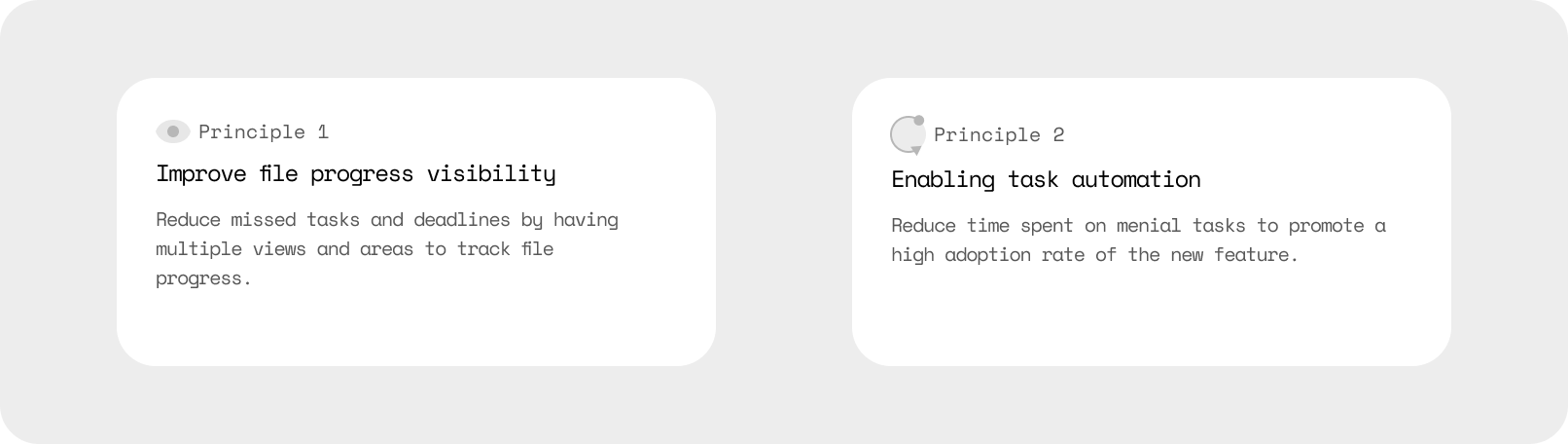
To minimize users’ learning curve and ensure high adoption of the task management feature, I designed the system around two key principles:
02 ENABLING TASK AUTOMATION
The types of tasks per real estate transaction can be repetitive. Reducing the amount of times tasks needed to be written and assigned across the firm would make it easy for our users to set up and promote a high adoption rate.
01 IMPROVE FILE PROGRESS VISIBILITY
Allowing all users across the legal firm to view the progress of each file would increase accountability and communication, but also lower their learning curve as there would be multiple points of entry.
PRODUCT EXPLORATION
Improve File Progress Visibility
TASK PANE
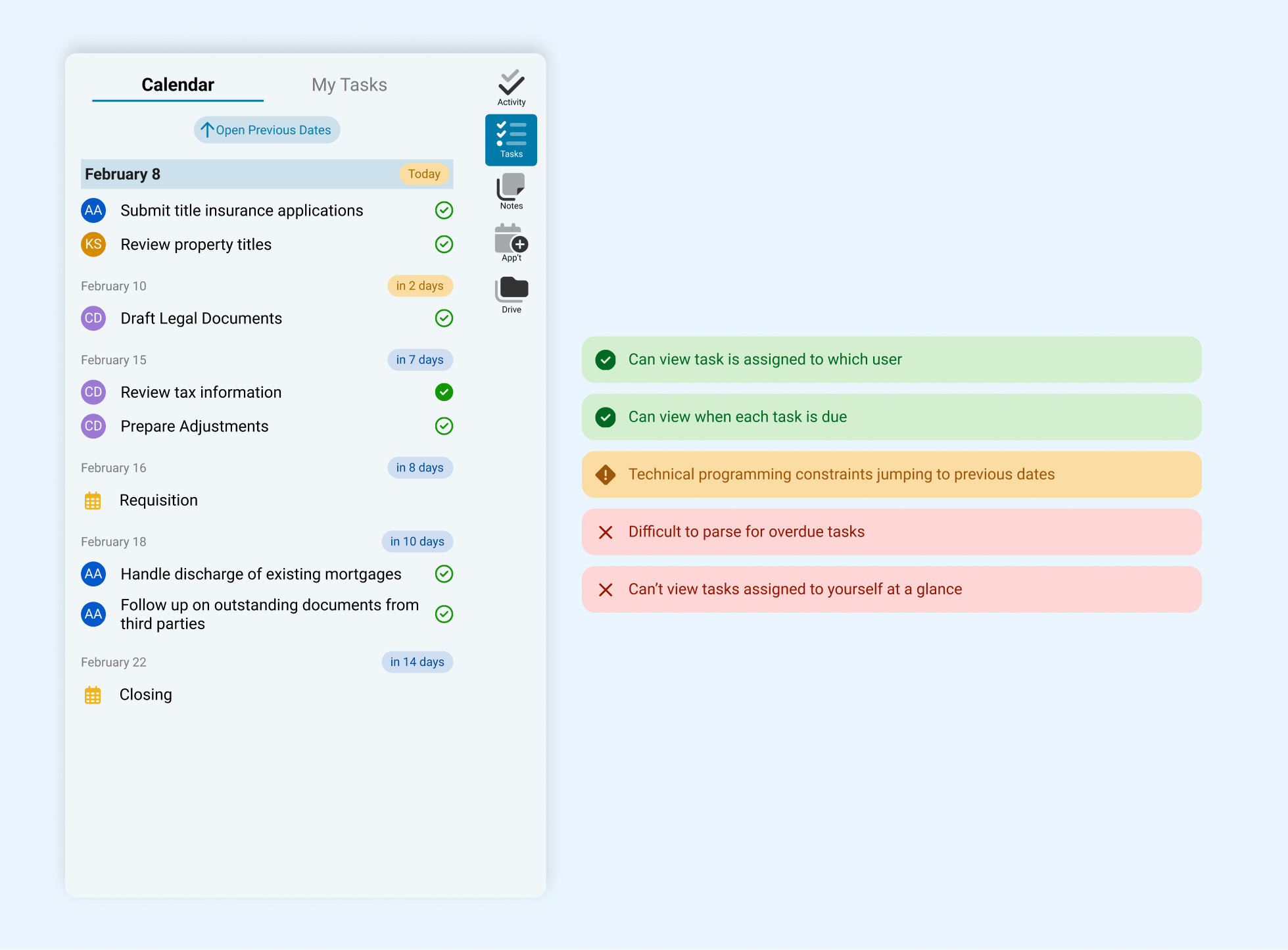
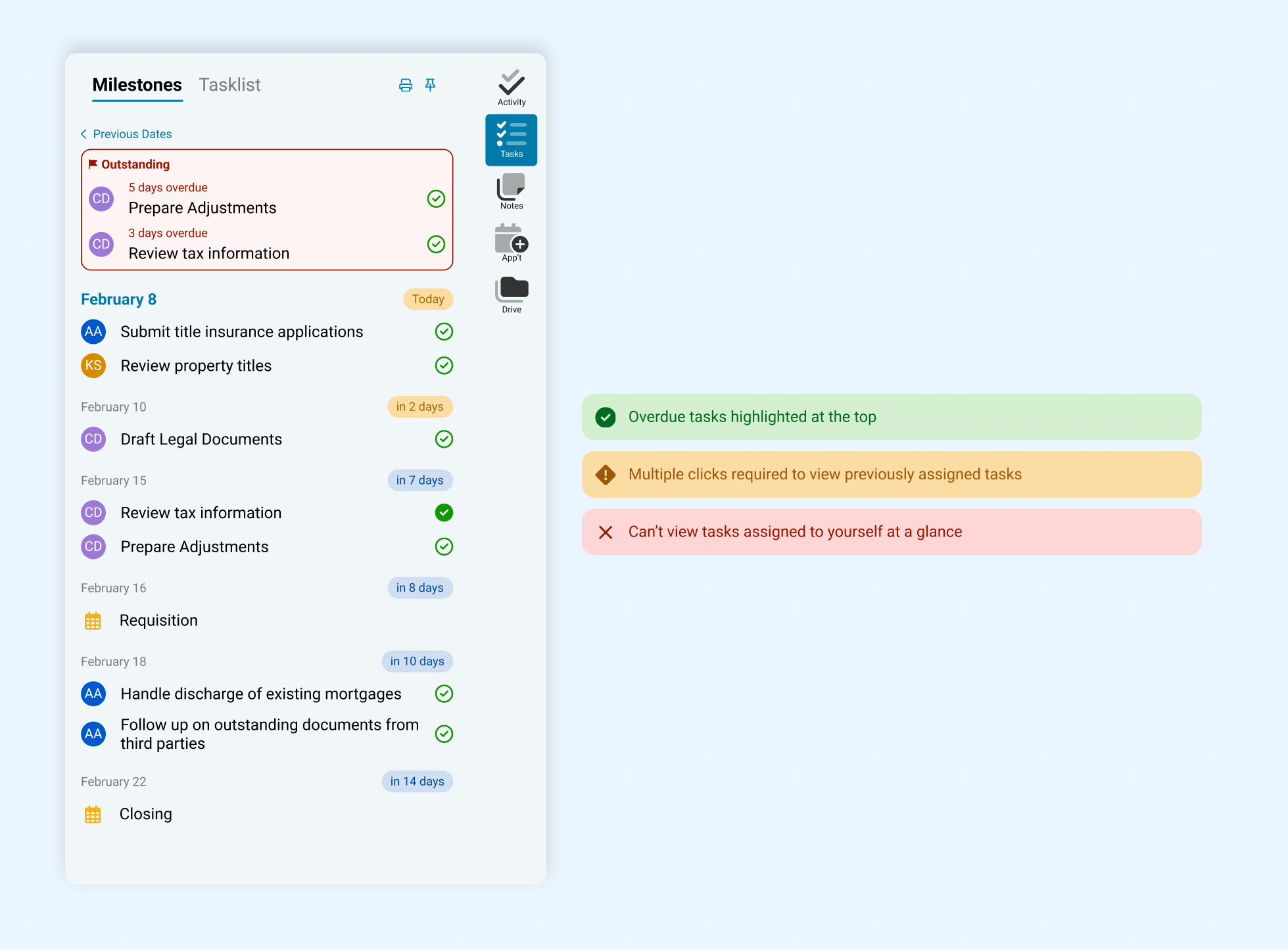
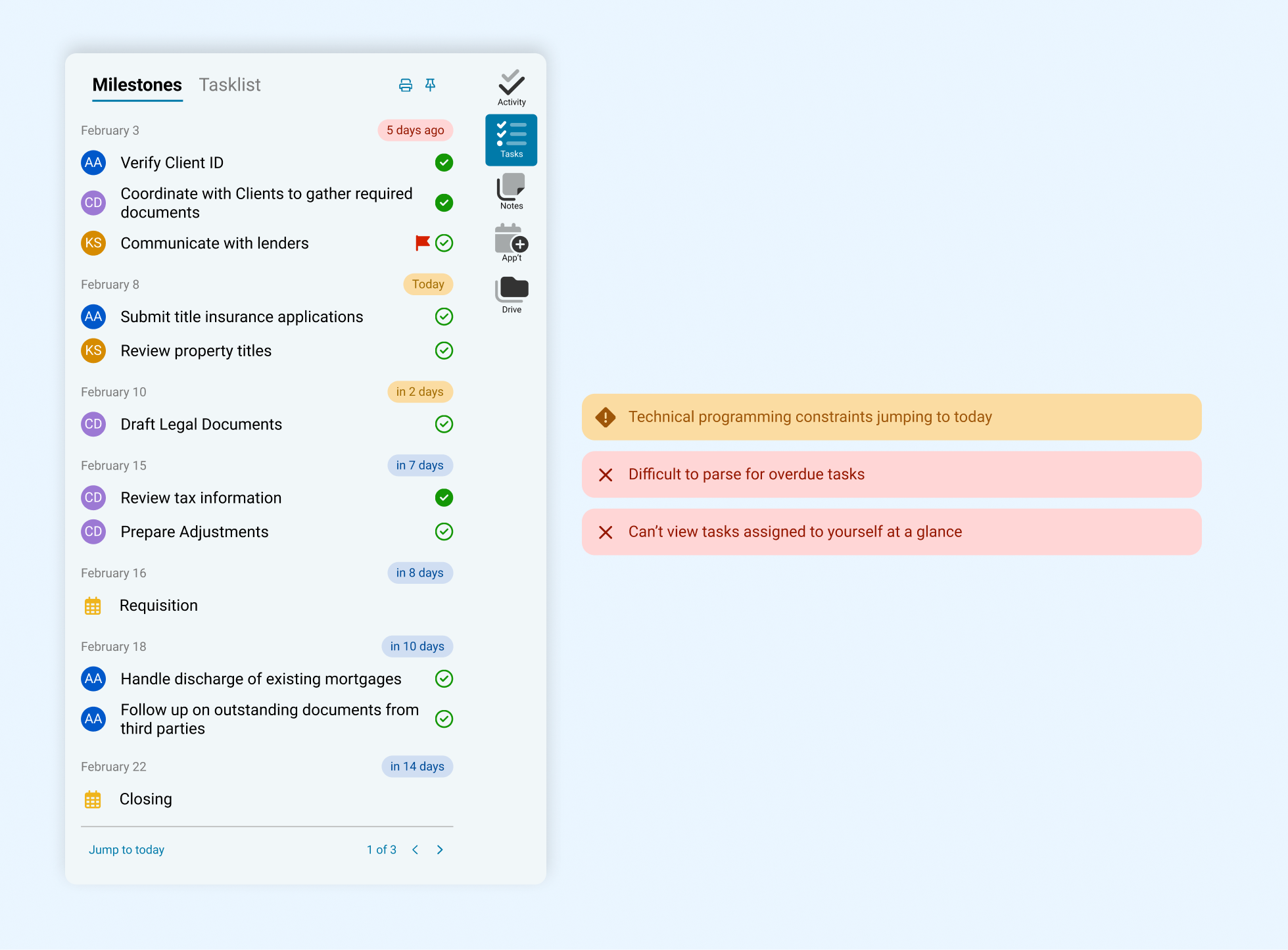
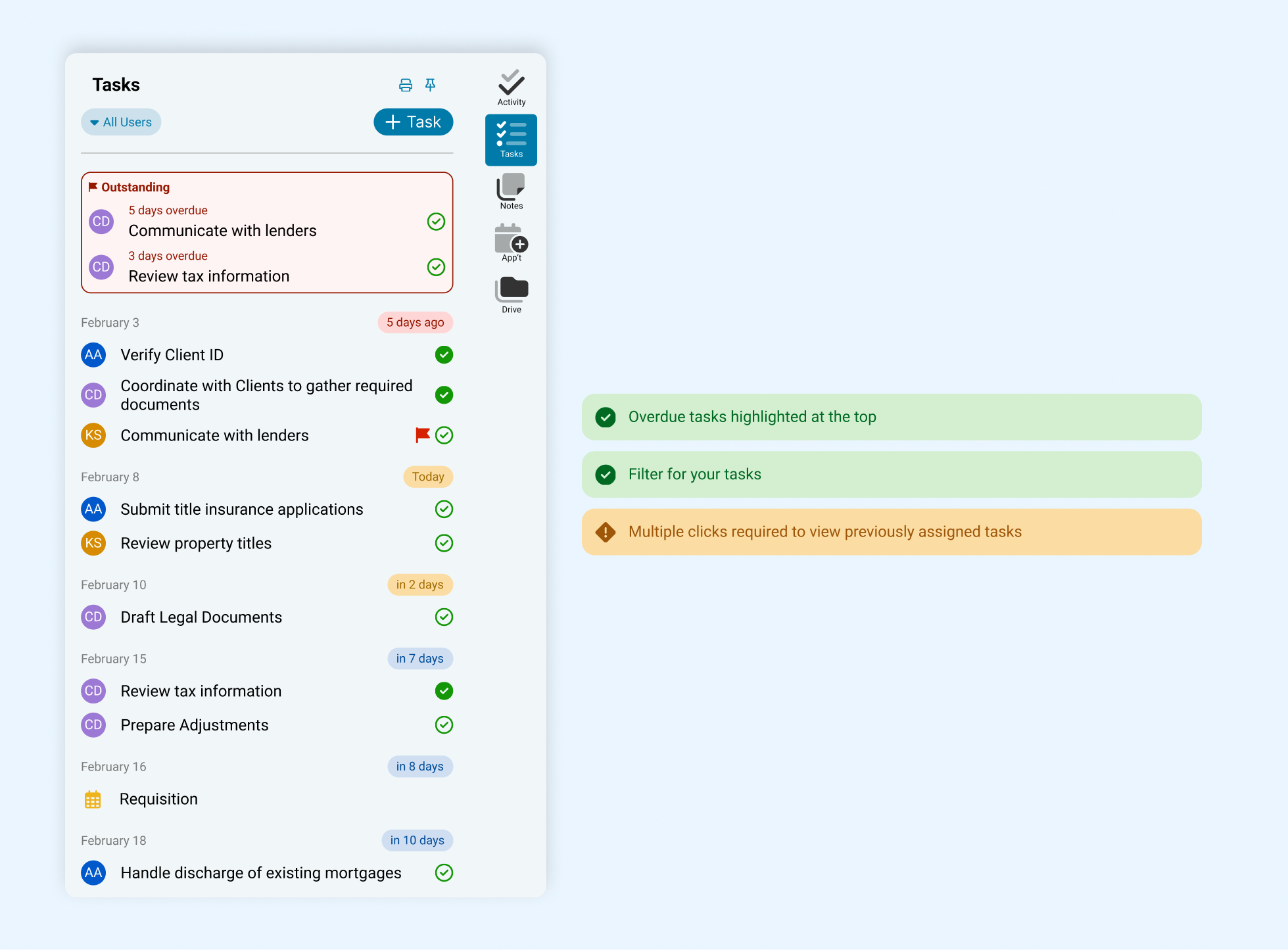
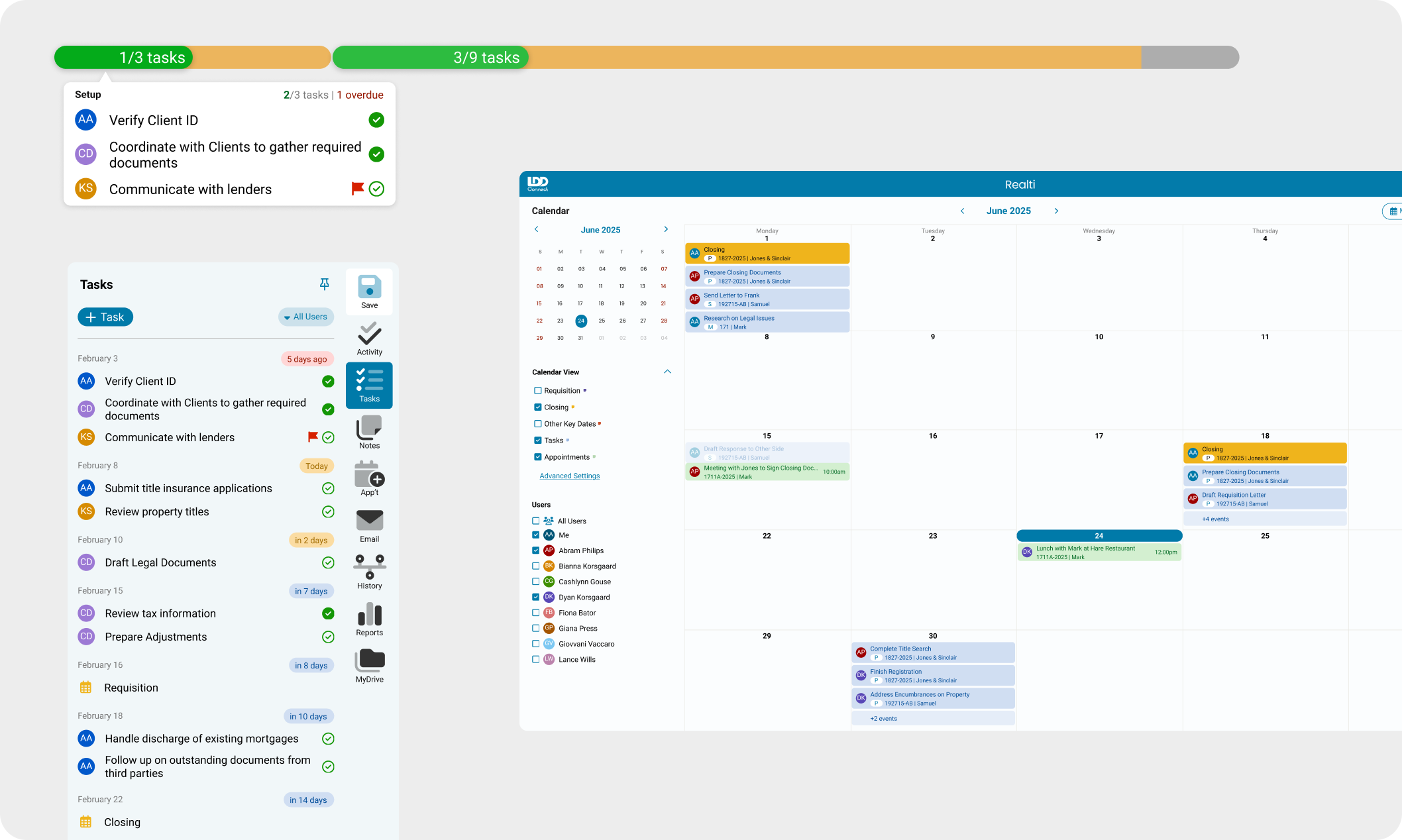
A task pane, or checklist, is a core part of any task management system, showing who a task is assigned to and task due dates. Having a centralized task pane in the Realti software allows firm members to easily track file progress and reduce missed tasks and deadlines.
I explored designs that accomplished key functionalities of a checklist while allowing users to quickly filter for their own tasks and address overdue tasks easily.
The main challenge was giving each function clear importance through visual hierarchy. I ultimately prioritized overdue tasks by placing them at the top, as they require immediate action, and enabled task filtering by user to support personal accountability. Secondary actions were intentionally de-emphasized by placing them behind additional interactions and outside the primary view, reducing cognitive load and keeping focus on urgent work.
CALENDAR
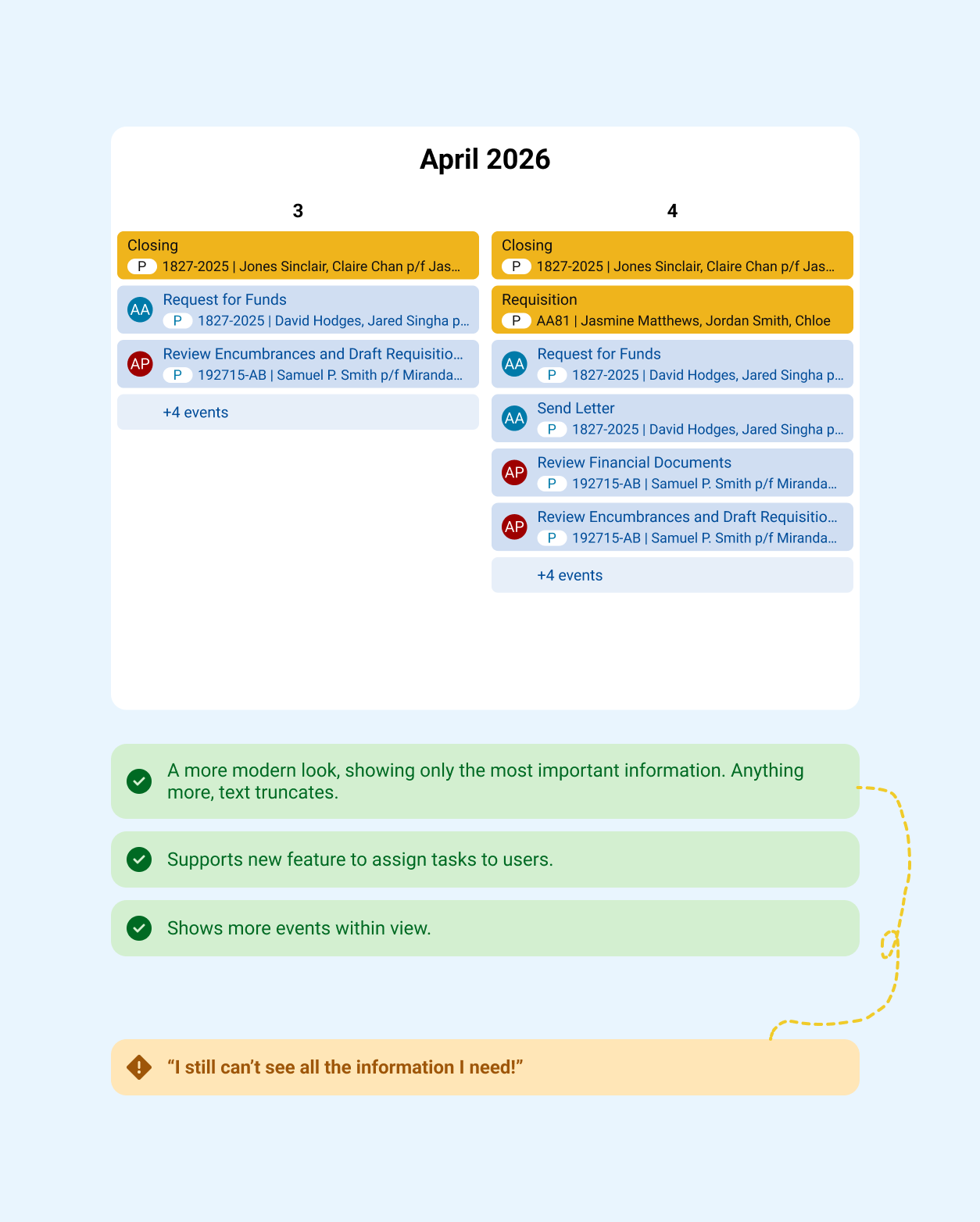
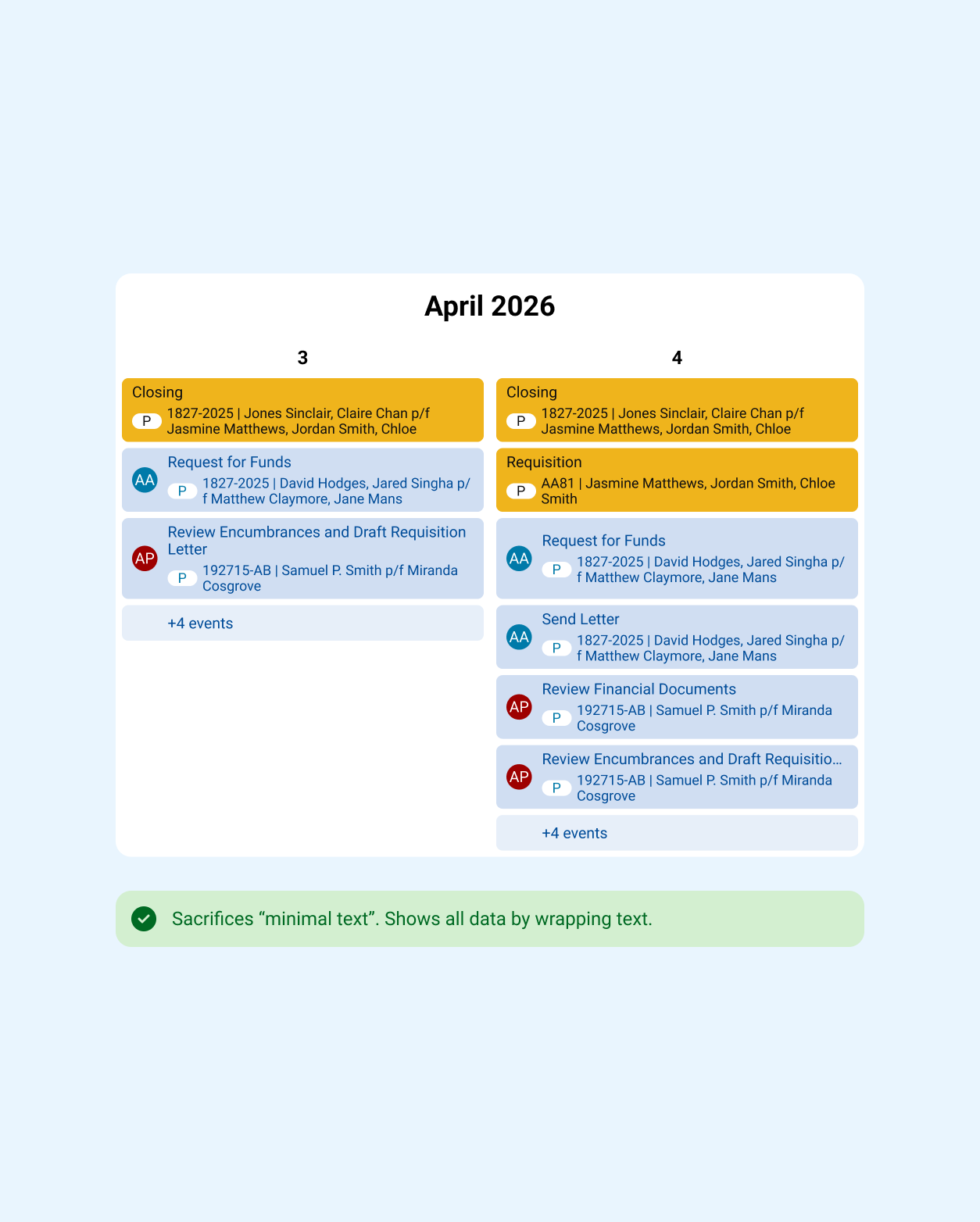
Another core part of any task management system is a calendar that provides a visual overview of all tasks, events, and due dates.
The main challenge in designing the calendar was balancing information density with decision-making clarity. I initially explored a minimal layout to reduce visual overload, but clients expressed that hiding key details actually slowed decisions and increased uncertainty. Through multiple iterations before and after launch, I prioritized surfacing the right information upfront to enable faster, more confident decisions, even if it resulted in a denser layout.
FINAL DESIGNS
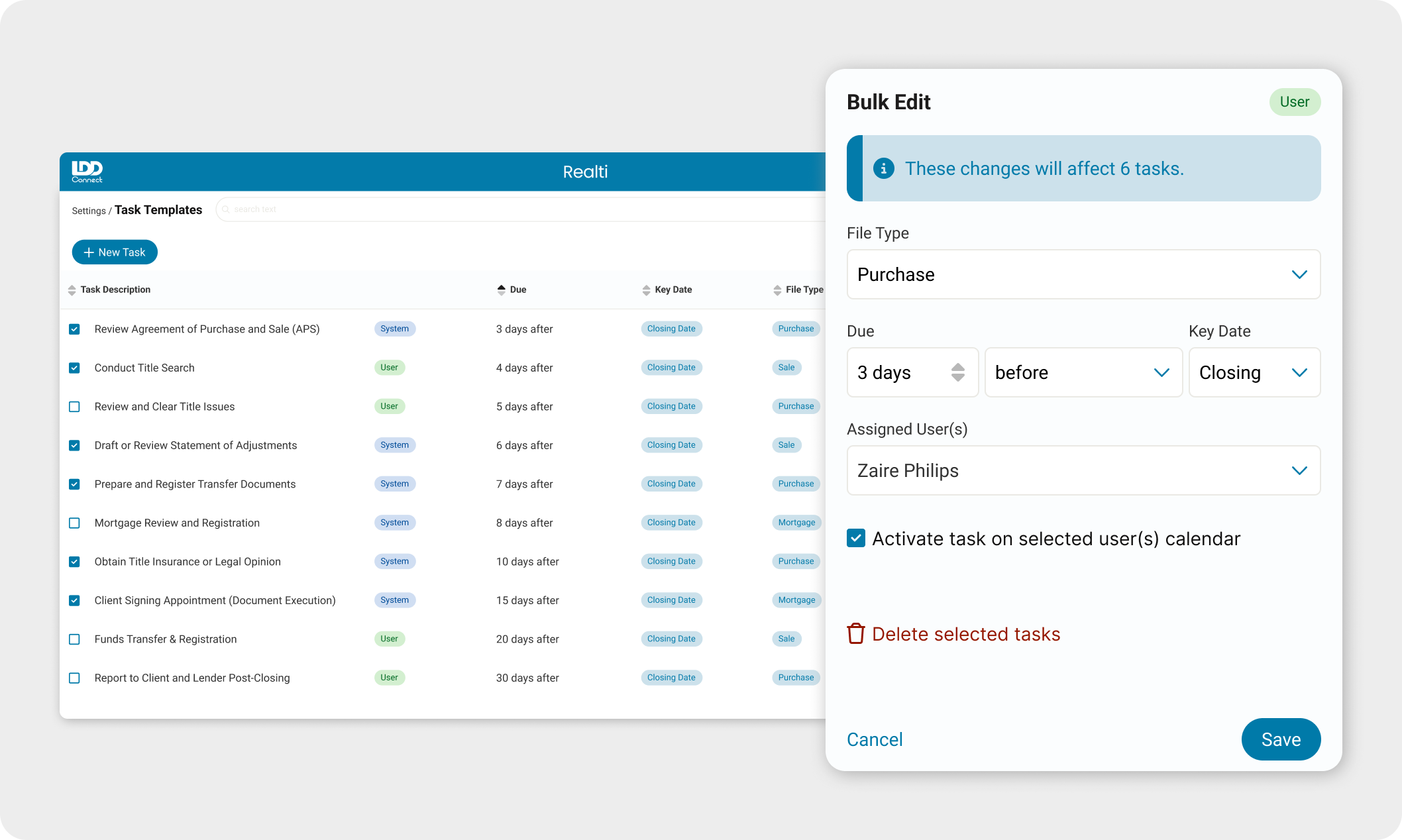
Using our existing design system, I designed an interface allowing administrators to create templates where tasks could be set up once and automated to show across all future files. This would streamline the process of assigning tasks in the future, and reduce missed deadlines. Doing it once will help maintain a low learning curve for our users.
To facilitate multiple views of the file’s progress, and create multiple points of access, I designed a progress bar to go along with the task pane and calendar.
POST-LAUNCH
I guided our intern in creating a survey gathering over 70 responses about the new task management system. 62% of users indicated the system was intuitive and user friendly, and 69% have used it at least once.
These positive results indicate a strong user adoption rate to help lawyers track their tasks in a more streamlined manner.
I continue to oversee the product backlog for the task management feature. I organize biweekly meetings with the head of development, my design lead, and consultant to decide on the next best set of enhancements we can roll out to continue improving on this product.