2024
DESIGNING A CHEQUE PRINTING FUNCTIONALITY
Systems Thinking, User Research, Legacy Systems
CONTEXT
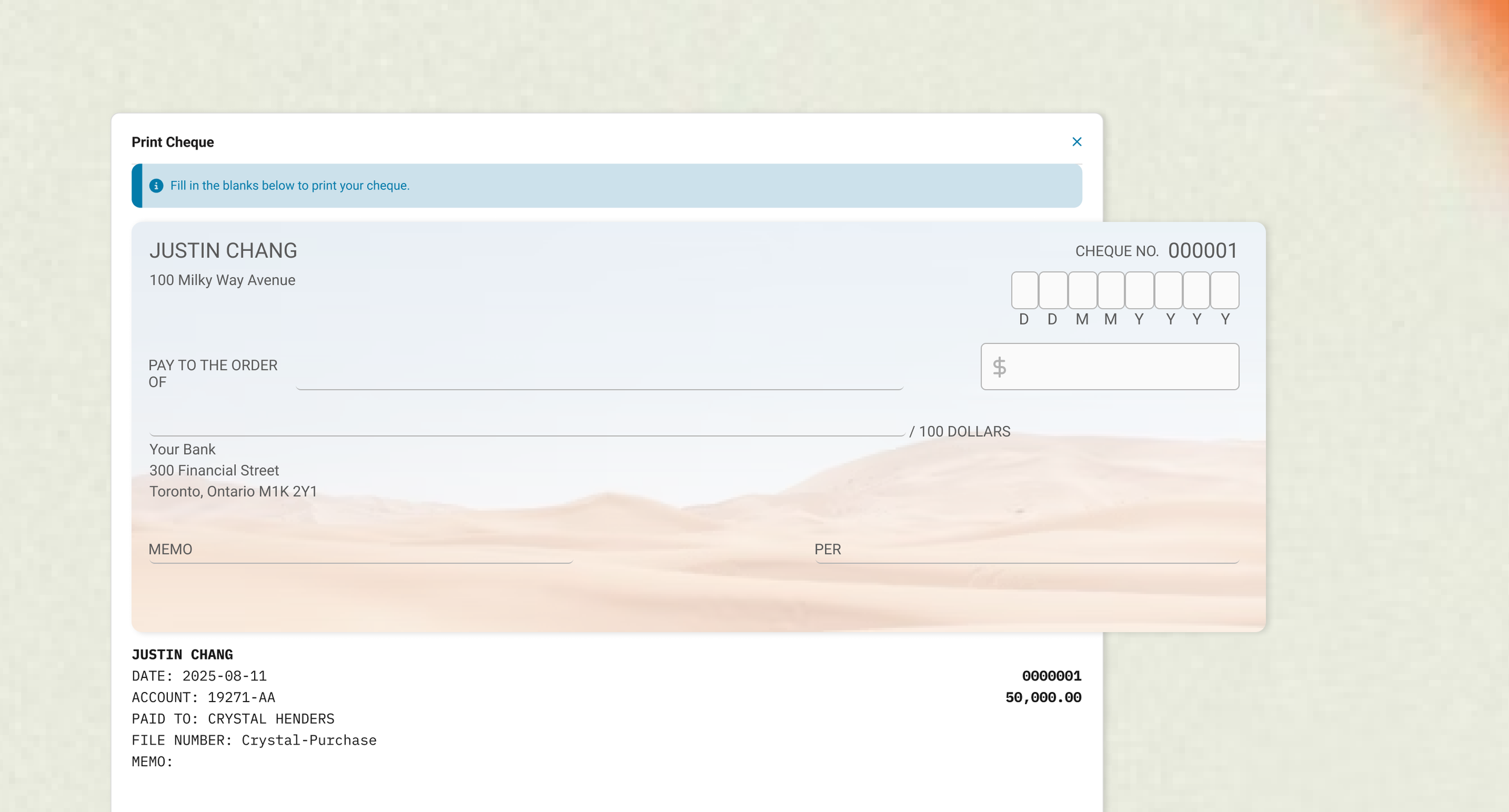
As a Product Designer at LawyerDoneDeal, I designed and shipped a new feature for their main software Realti, allowing real estate law firms to print bank-standardized cheques right from their computer.
IMPACT
In this project, I established design practices that guided future projects and strengthened Realti’s financial capabilities as part of the new product rollouts.
TEAM
1 Product Designer (Me!)
1 Developer
1 Business Development Manager
MY ROLE
User Research
Conceptualization & Design
Product Management
Development Handoff
PROBLEM
Outdated Bookkeeping Practices
Some real estate law firms have not yet subscribed to accounting softwares, and have continued to perform bookkeeping processes by hand. However, real estate transactions continue to depend on cheque distribution, requiring significant manual handling if law firms do not have a modern process in place.
OBJECTIVE
Design a feature for law firms to print blank and pre-printed cheques
To position the Realti software as a complete end-to-end solution for real estate law firms, I was tasked to create a cheque printing feature that complies with legal specifications set by the Canadian Payments Association. A cheque printing feature would allow real estate lawyers to distribute cheques more efficiently and with more accuracy. This feature would need to be able to print two different types of cheques - blank and pre-printed.
DESIGN PRINCIPLES
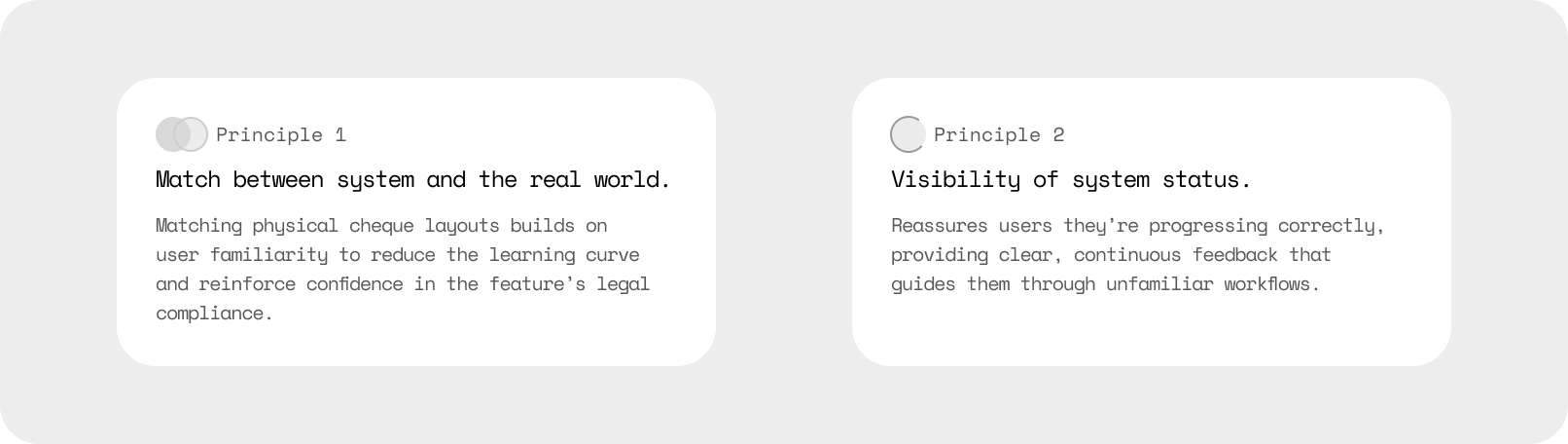
Given both the legal and financial landscape of this project, I had to ensure users felt confidence and trust that printing cheques on the Realti software would be legal and bank compliant.
To ensure this message was conveyed to users, I drew on a set of foundational UX psychology practices to guide my design thinking:
EXPLORATION
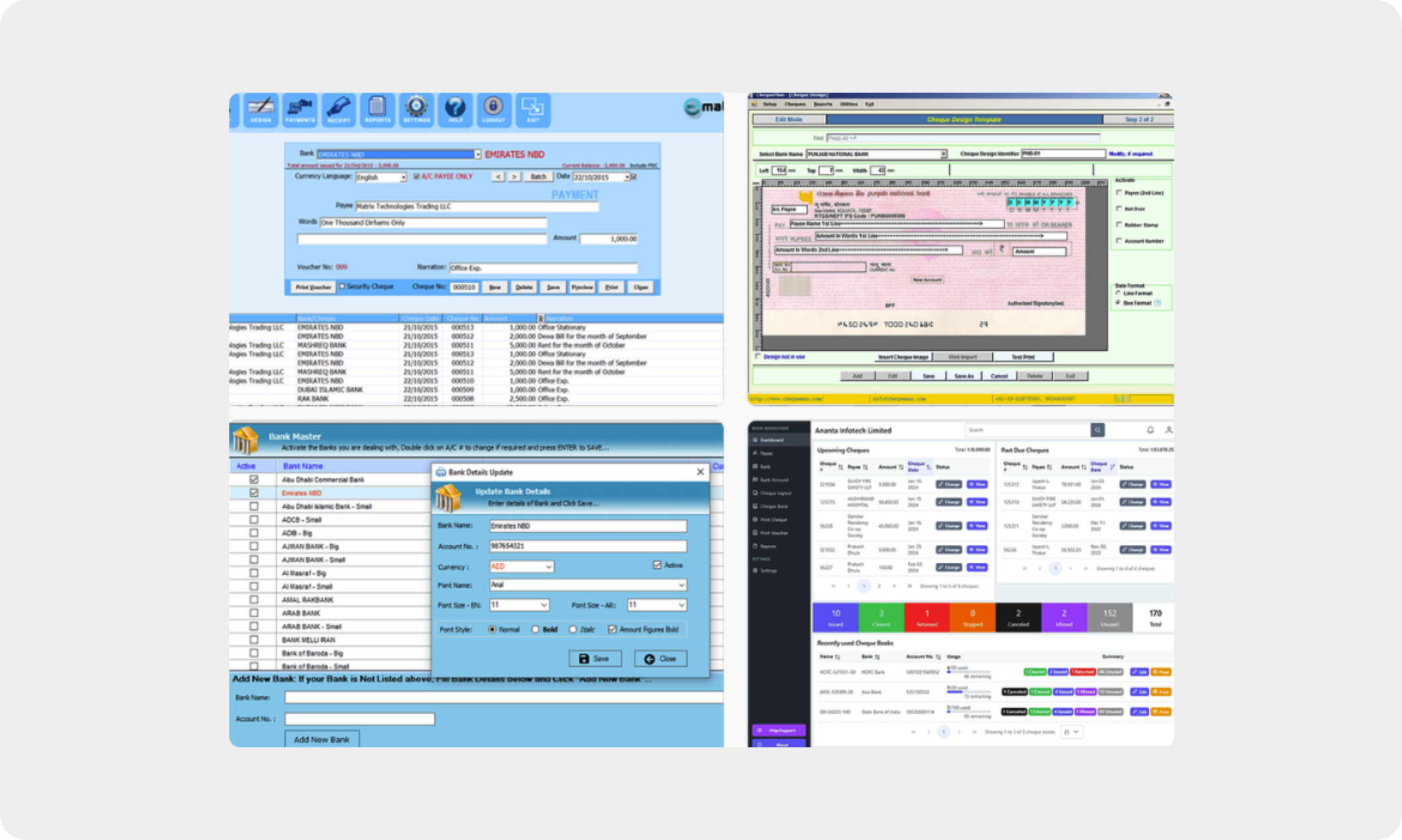
I started my design process by looking at existing applications for common workflows and patterns. Interestingly, there were few cheque printing specific software available - applications were either outdated, or had very specific customization functionalities way beyond the business scope for my project.
I ended up looking at workflow inspiration from word processing, an industry adjacent to the numbers of accounting softwares. A common pattern we use often is choosing to start from a blank page, or an established template. I decided to use this as a starting point for my cheque printing process.
DESIGN WORKFLOW 1
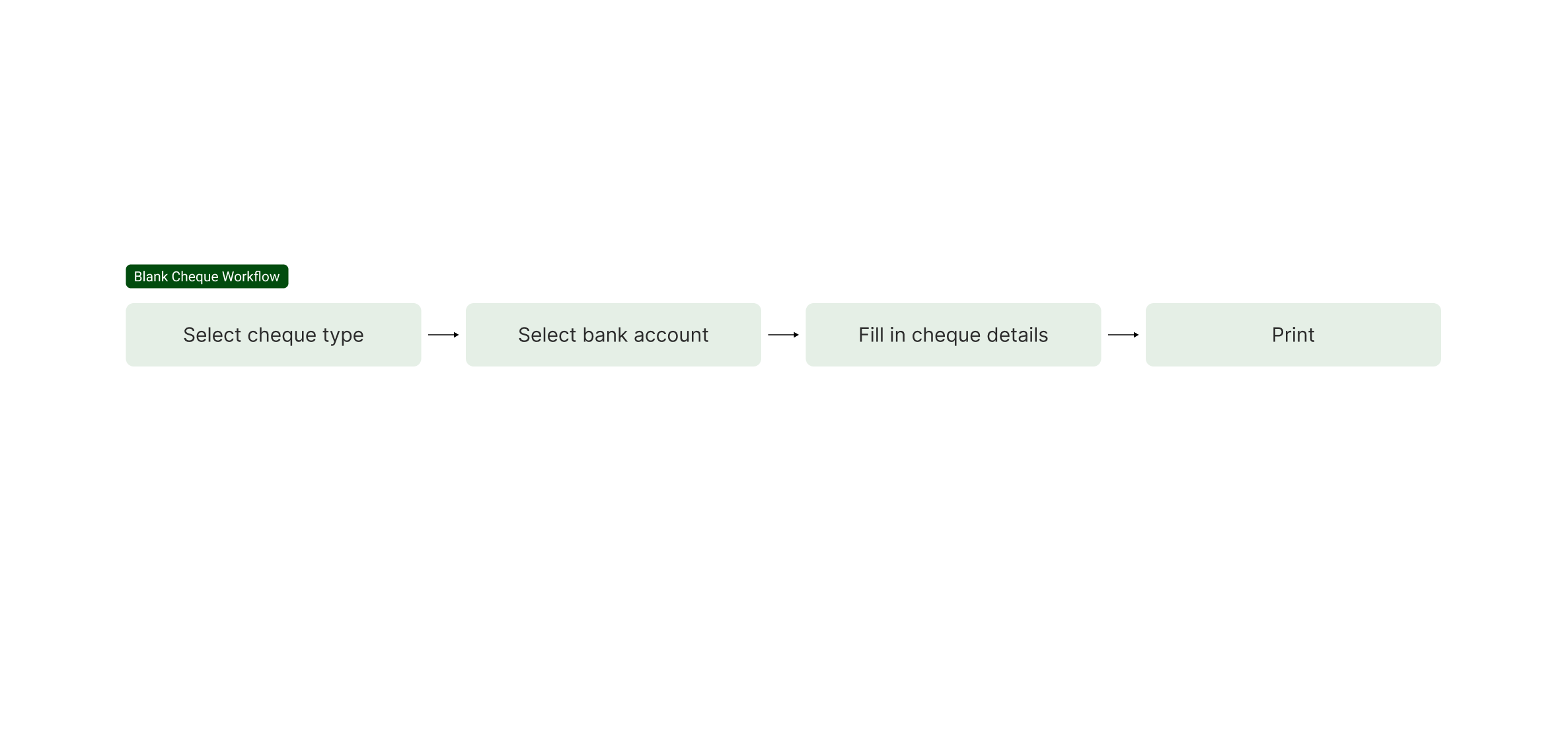
Printing Blank Cheques
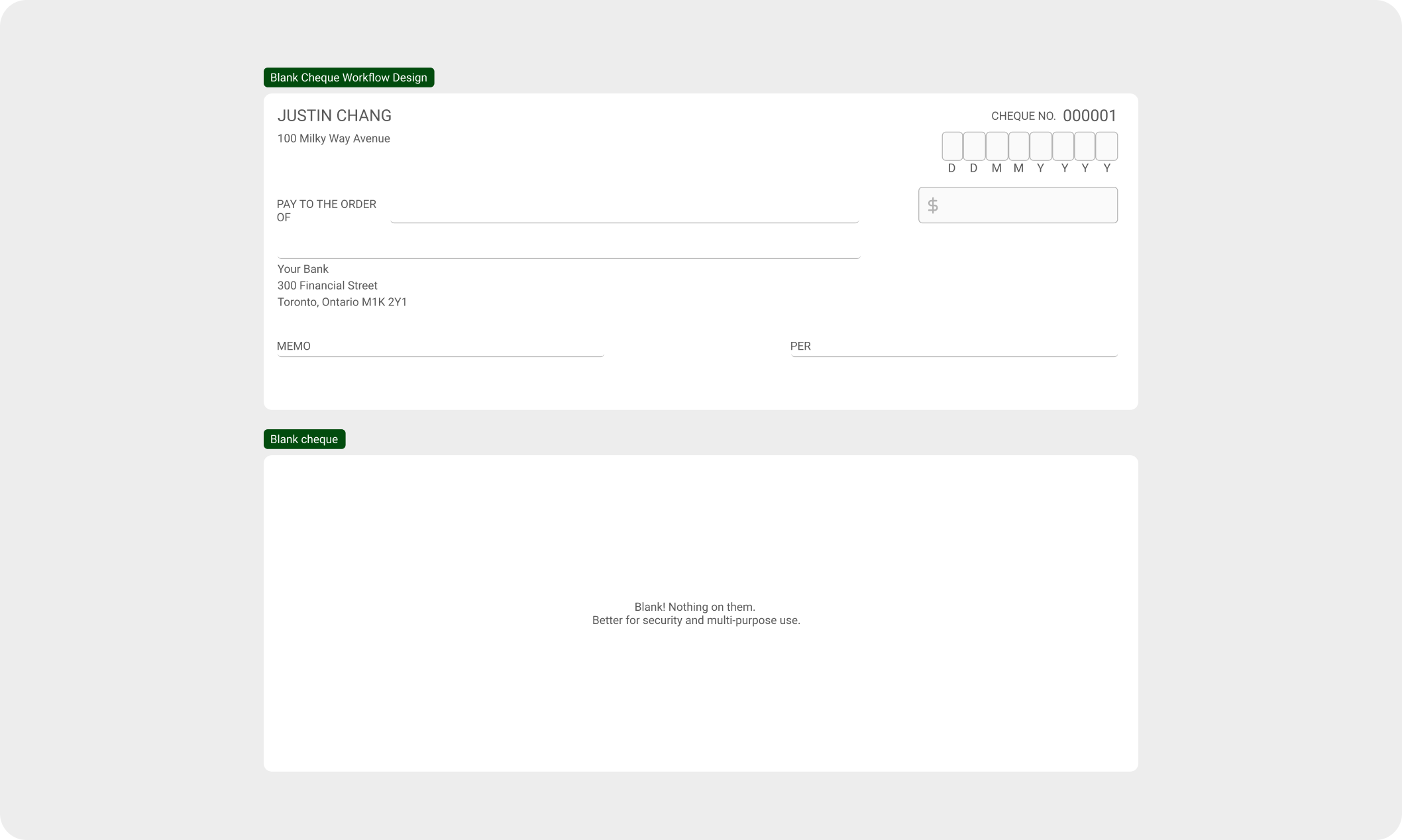
Printing blank cheques provide users with less opportunity to customize spacing and margins as all designs are already on stock paper. I decided to start designing the workflow with blank cheques in mind to start with a more streamlined process.
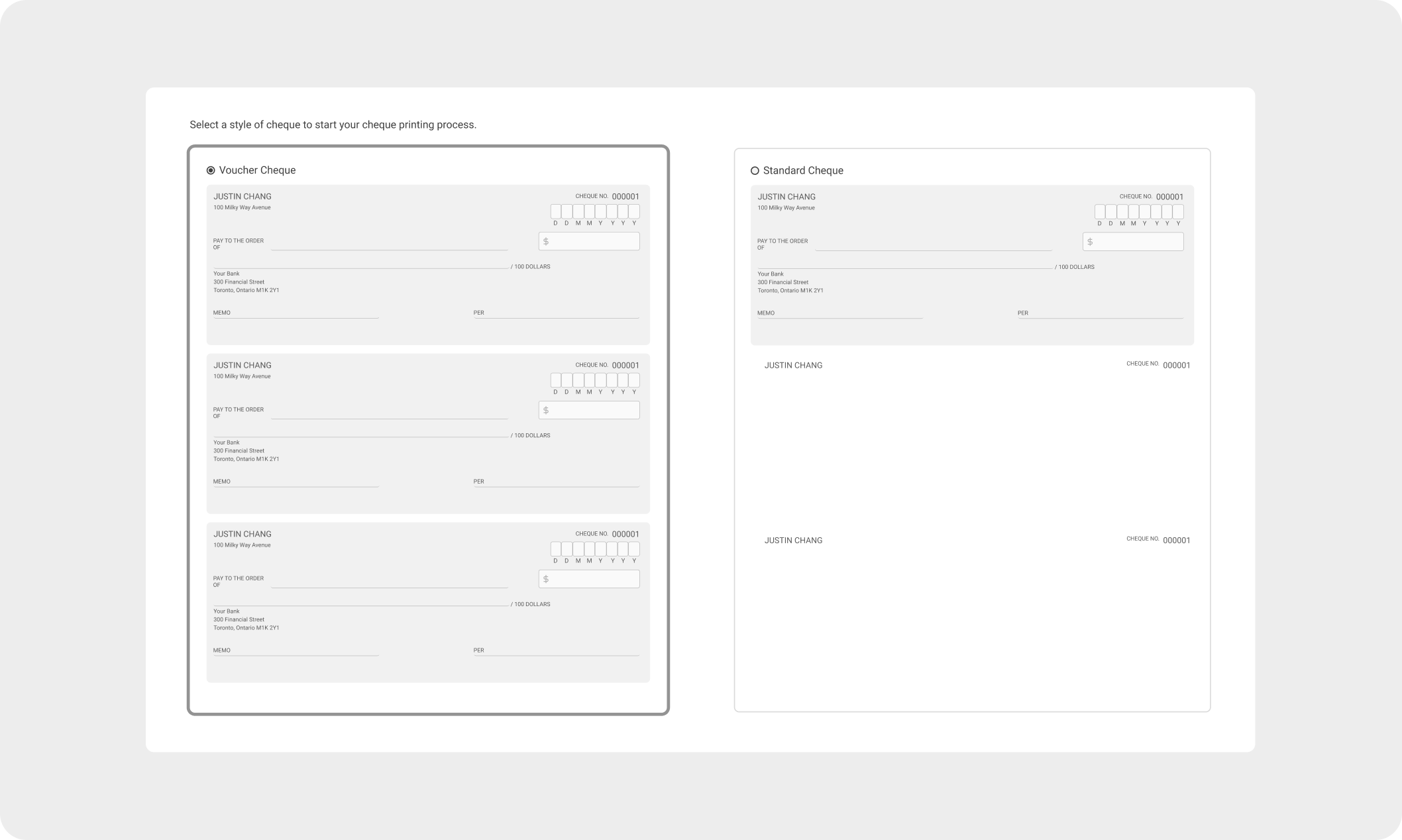
Once users selected the type of cheque they want to print from, they would select the specific bank before filling in the cheque details.
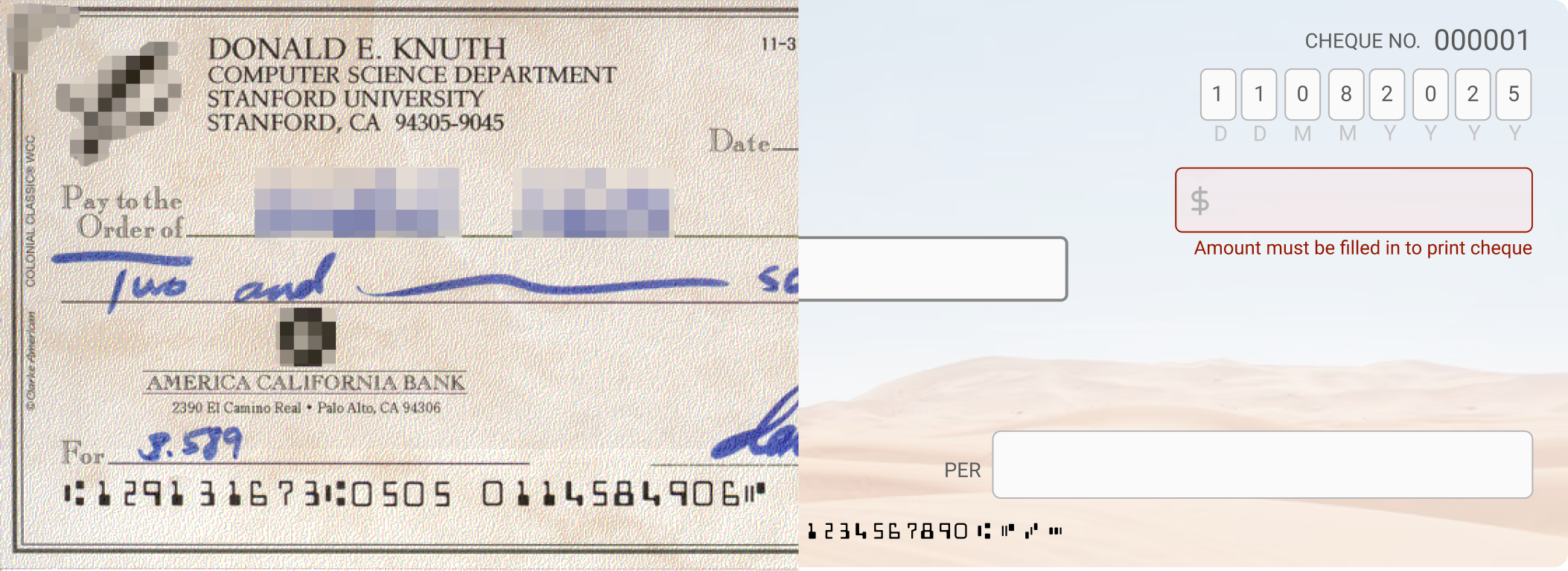
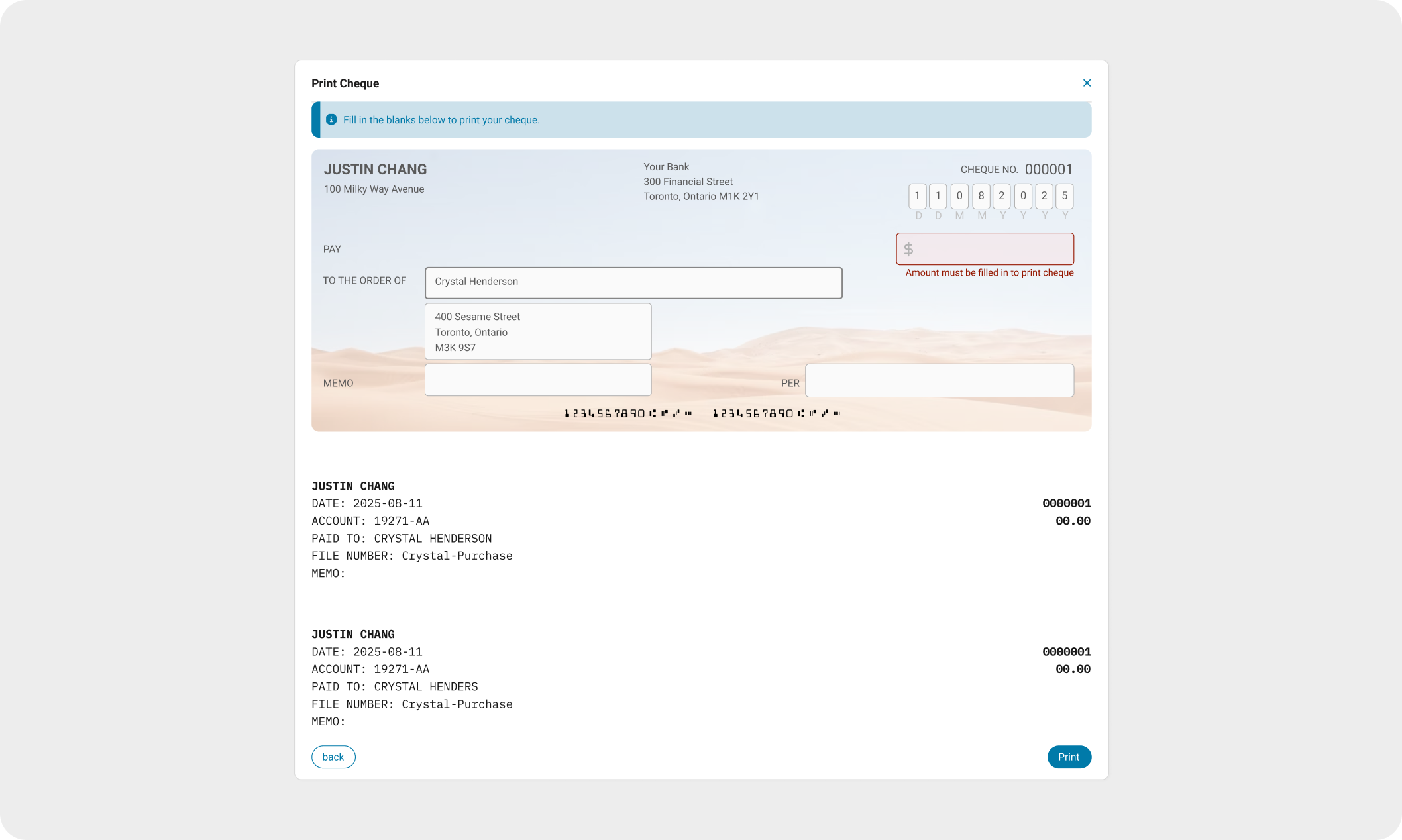
When filling in the cheque details, I designed the interface to visually mirror a real cheque. By aligning the interface to match familiar mental models, this reinforces familiarity, reliability, and trust.
DESIGN WORKFLOW 2
Printing Pre-Printed Cheques
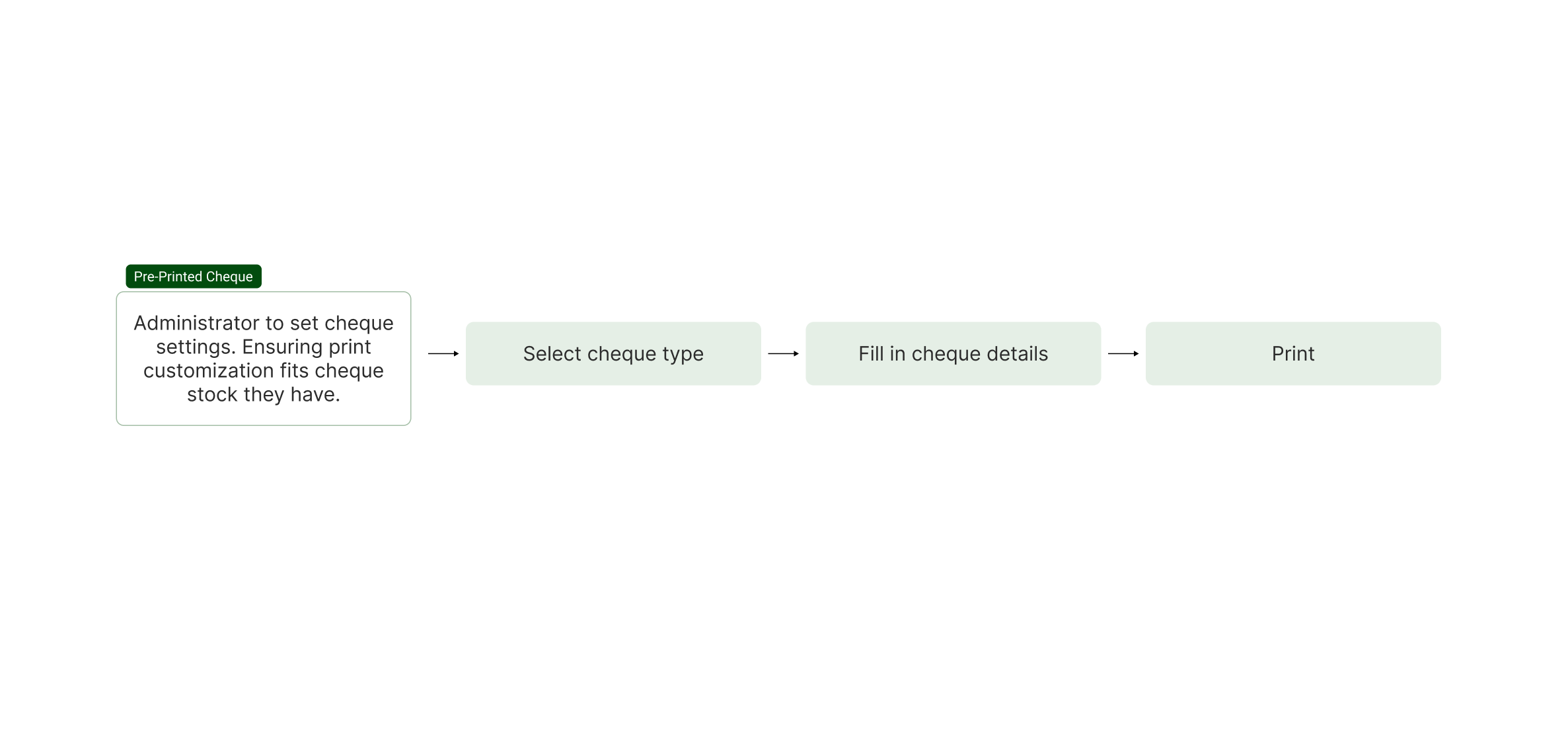
I applied a similar workflow to pre-printed cheques where our software would print the design and format the text for the user.
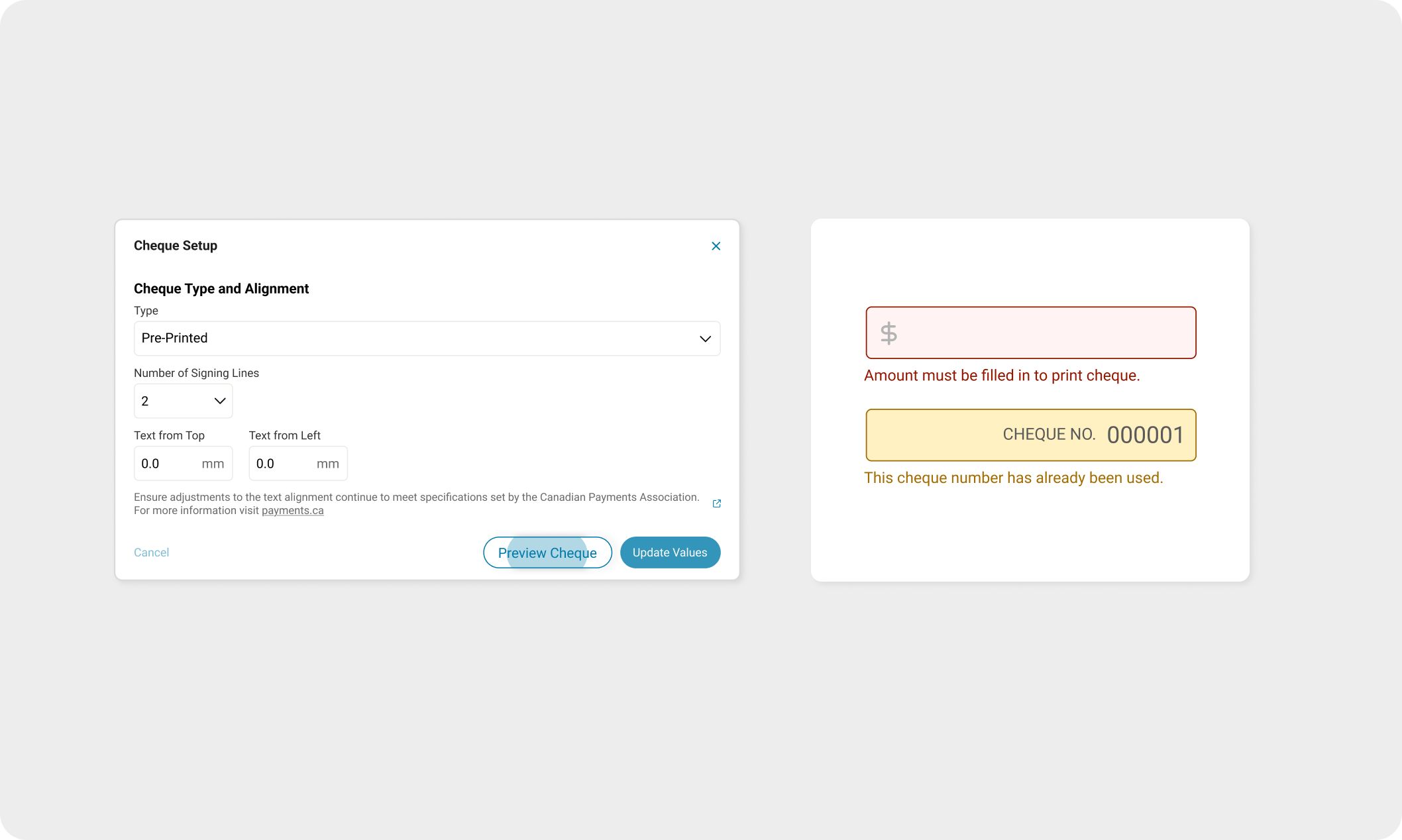
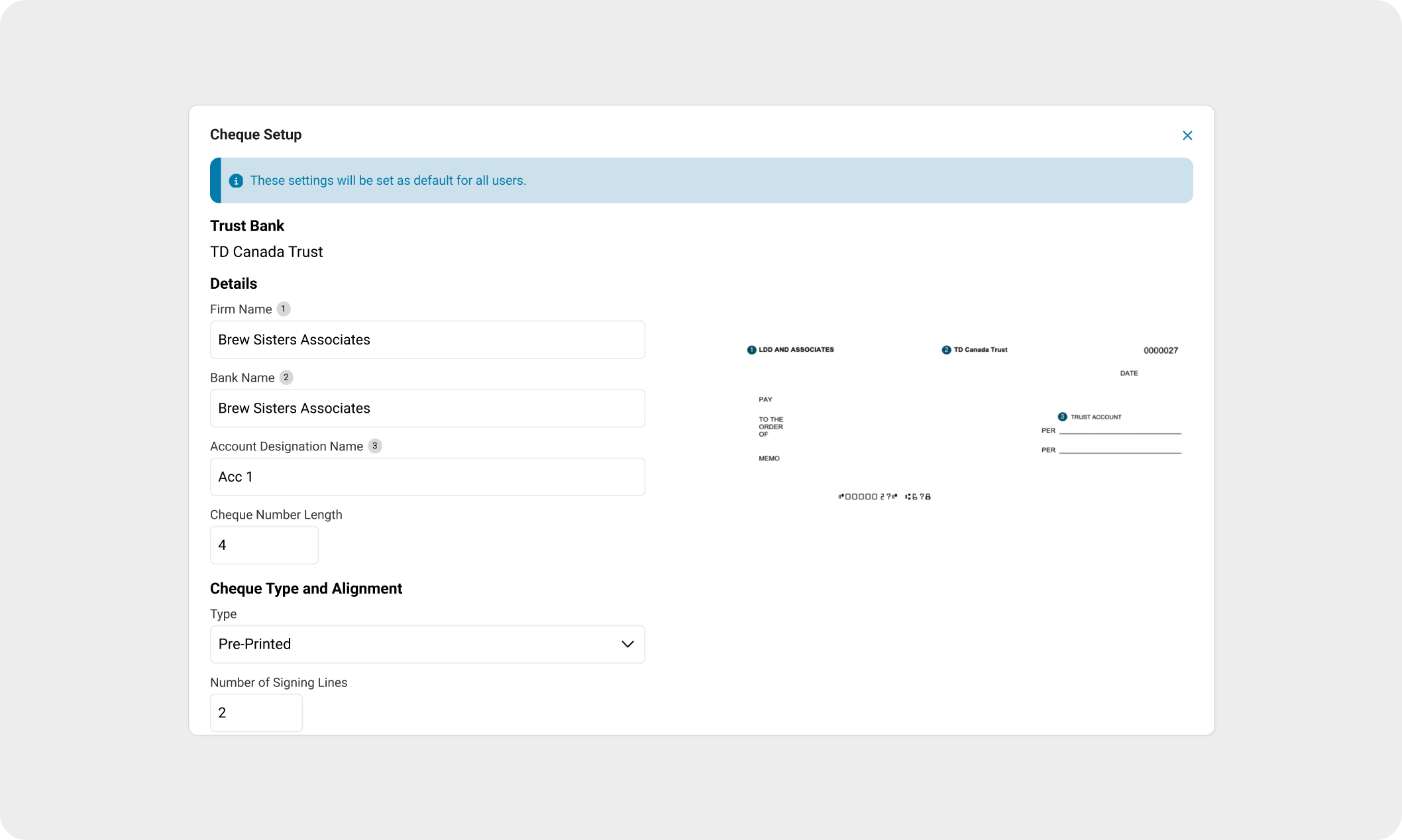
After consulting documentation from the Canadian Payments Association, I collaborated closely with the developer to consider which customization options we can implement to account for the numerous variations of pre-printed cheques.
I decided best to have these customization settings be an Administrator-only setting, such that adjustments would not affect cheque-to-cheque.
To convey trust and confidence, I utilized inline error states to provide prompt feedback and promote user accuracy.
SYSTEM DESIGN THINKING
Developing UX Patterns for future scalability
It is important to note here that inline error states and matching designs to reality were not patterns that currently existed in the Realti software. I saw this project as a chance to add these features and improve the software’s overall usability in a focused, low-risk setting. These design practices would ultimately end up serving as an implementation guideline for future projects.
FURTHER ITERATIONS
Law firms typically only have one type of cheque stock.
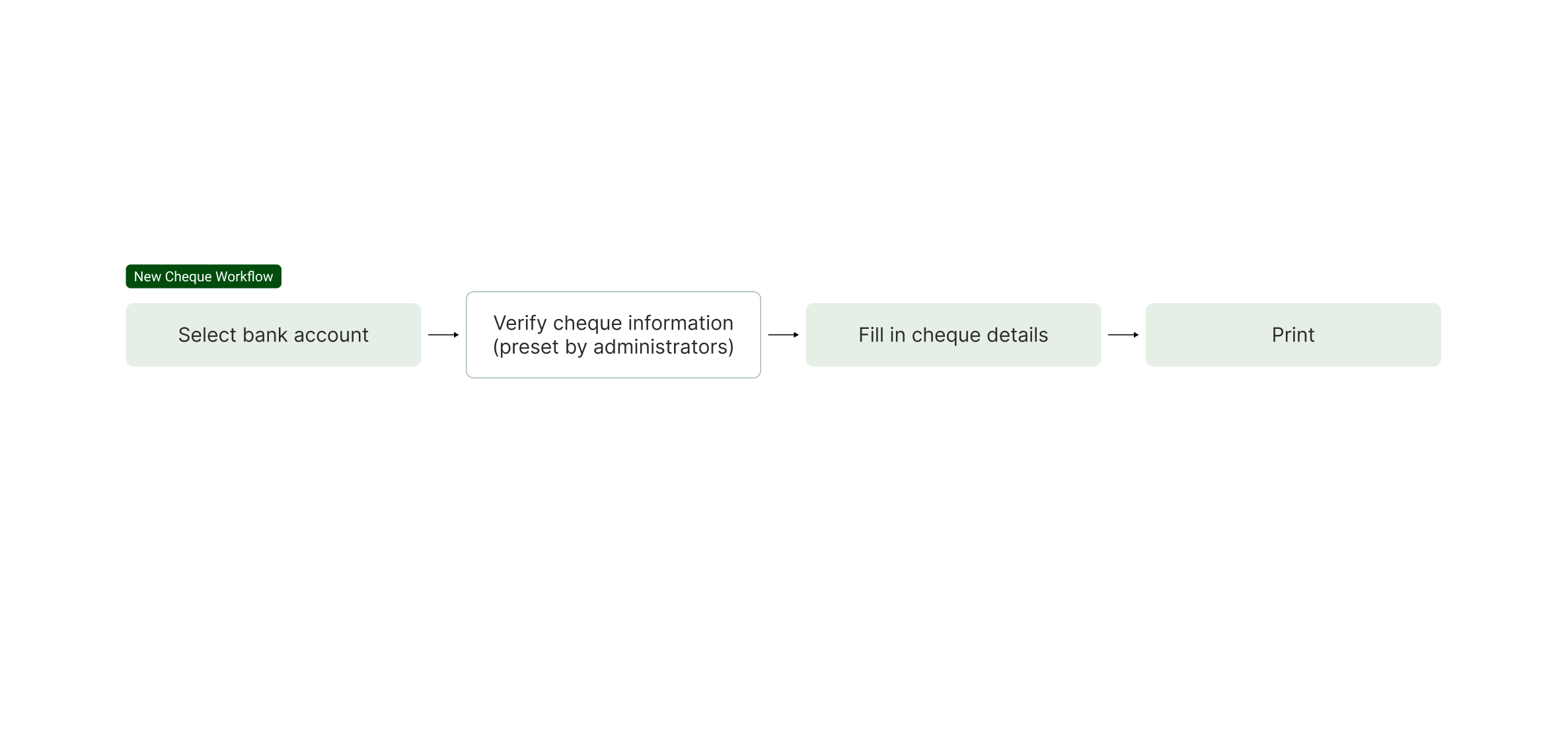
In the middle of the design process, we had missed a key point in our users’ workflow - law firms typically carry only one type of cheque - either blank, or pre-printed cheques.
In the original workflow, each time users required a cheque to be printed, they had to first select the type of cheque. To streamline this workflow further and prevent any extra steps, I adjusted the workflow to add an extra Admin-only setting to set early in their workflow the type of cheque their firm carried. This would prove to be more efficient, reducing any redundant steps.
FINAL DESIGN
REFLECTION
While adoption has been limited due to many firms relying on external accounting tools, the feature was delivered in just three months by only myself, and one other developer — nearly half the time comparable projects in the backlog had previously taken.
In addition to establishing design practices that guided future projects, this project also delivered meaningful improvements to the platform. It strengthened Realti’s financial capabilities, improved reconciliation accuracy, and now serves as part of the core package in new product rollouts, helping position the platform as a more complete end-to-end solution for law firms.