EduConnect
Role
Lead UX Designer
Duration
April 2023 - July 2023
Platform
Native iOS
Tools
Figma, Google Suite, Keynote

The Problem
Teachers find it challenging connecting what’s happening in the world to their curriculum when the world is constantly changing.
Hours are spent locating, creating, and re-formatting existing material to ensure they are relevant for students.
The Solution
A digital solution for teachers with quick summaries on recent news and lessons relating to current world issues all on one platform.
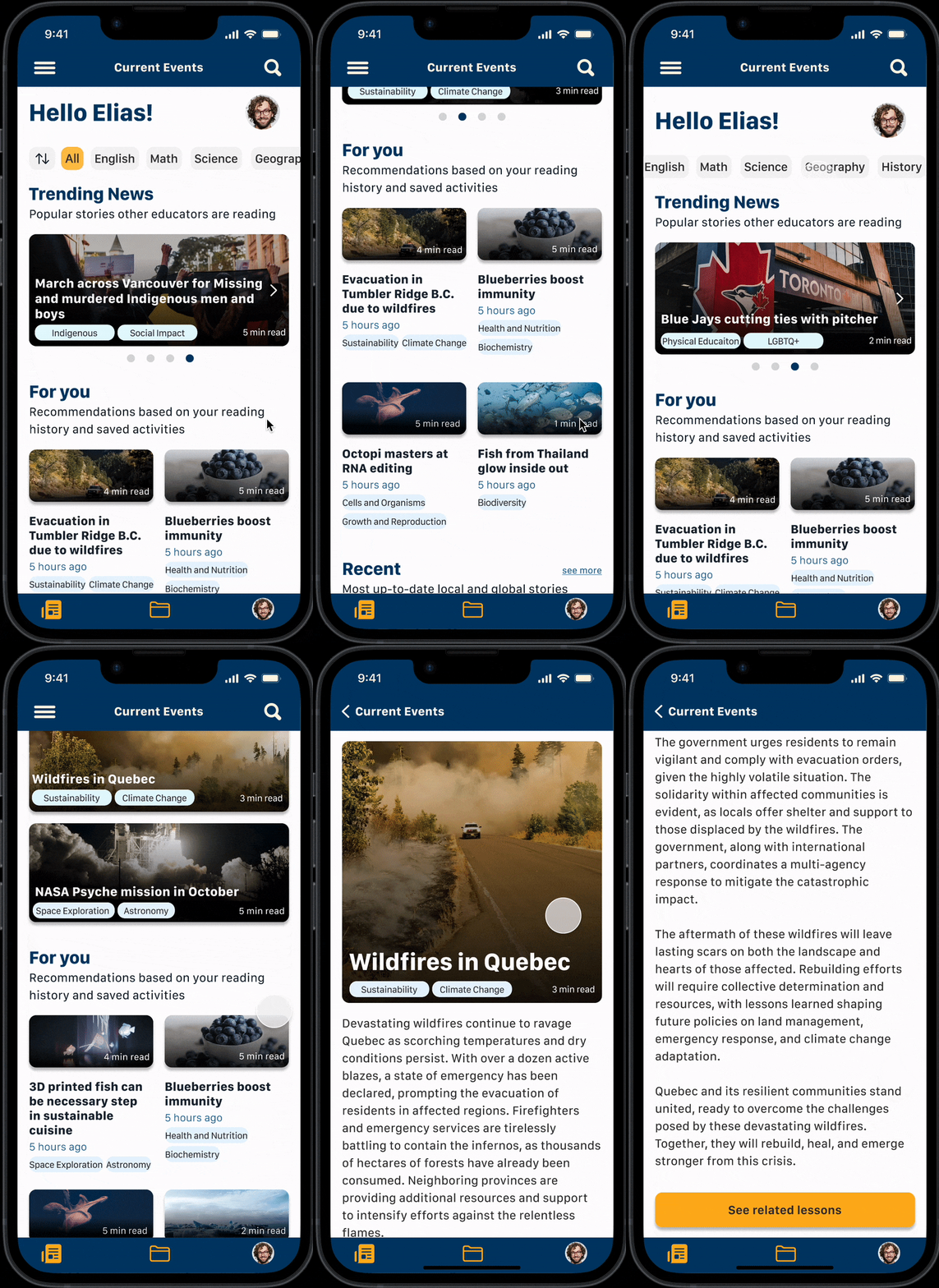
Recent News Summaries
Teachers can read short news article summaries based on recent news relating to the subject they are teaching.
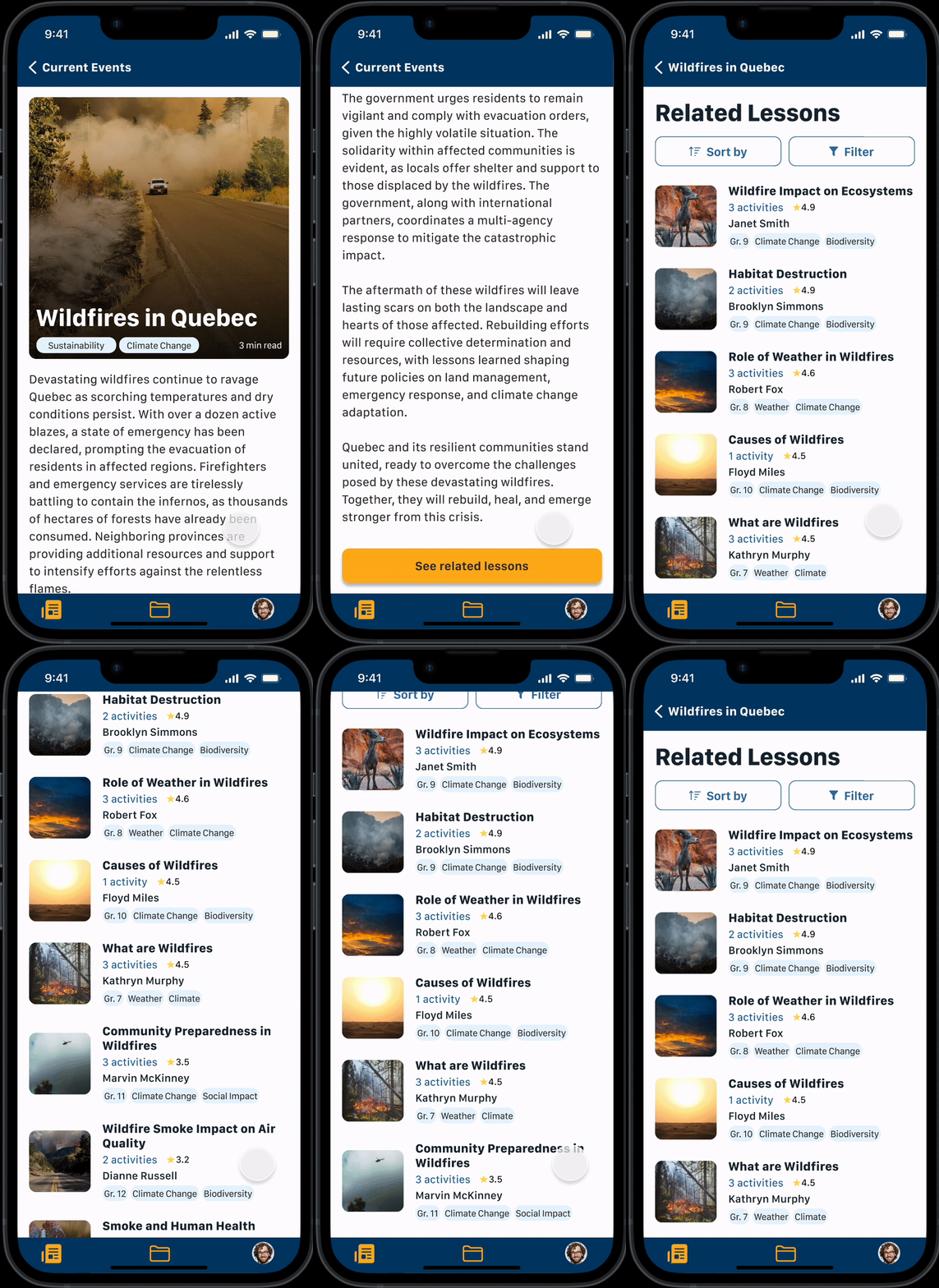
Related Lessons
Teachers can locate lessons related to the topic. Lessons are developed by other educators and can be sorted by rating or number of activities, or filtered by grade level.
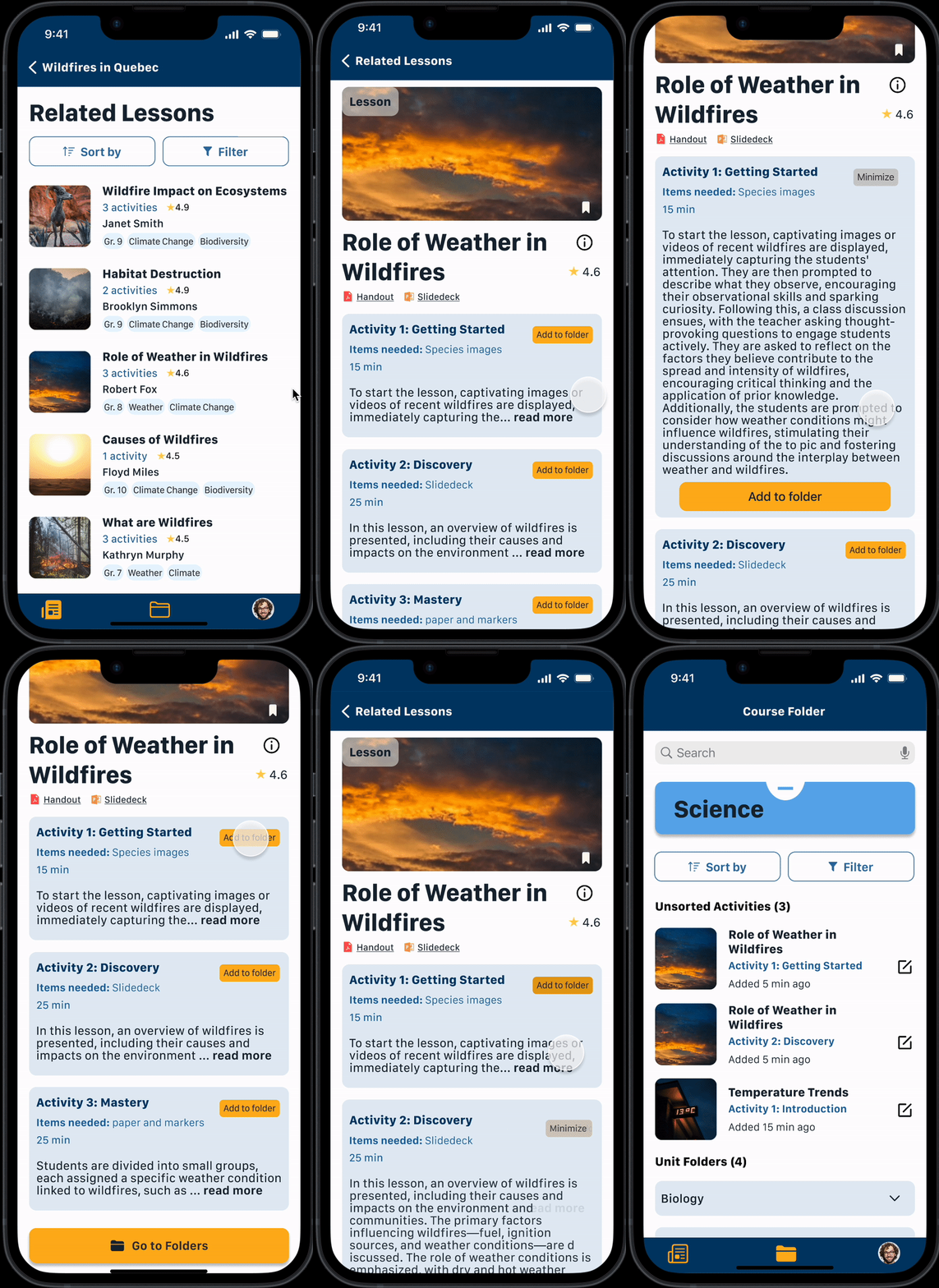
Mix and Match Activities
Teachers can add activities from different users to create their optimal lesson suitable for their classroom.
Next Steps: Incorporate machine learning for AI created lesson content based on commonly added activities.
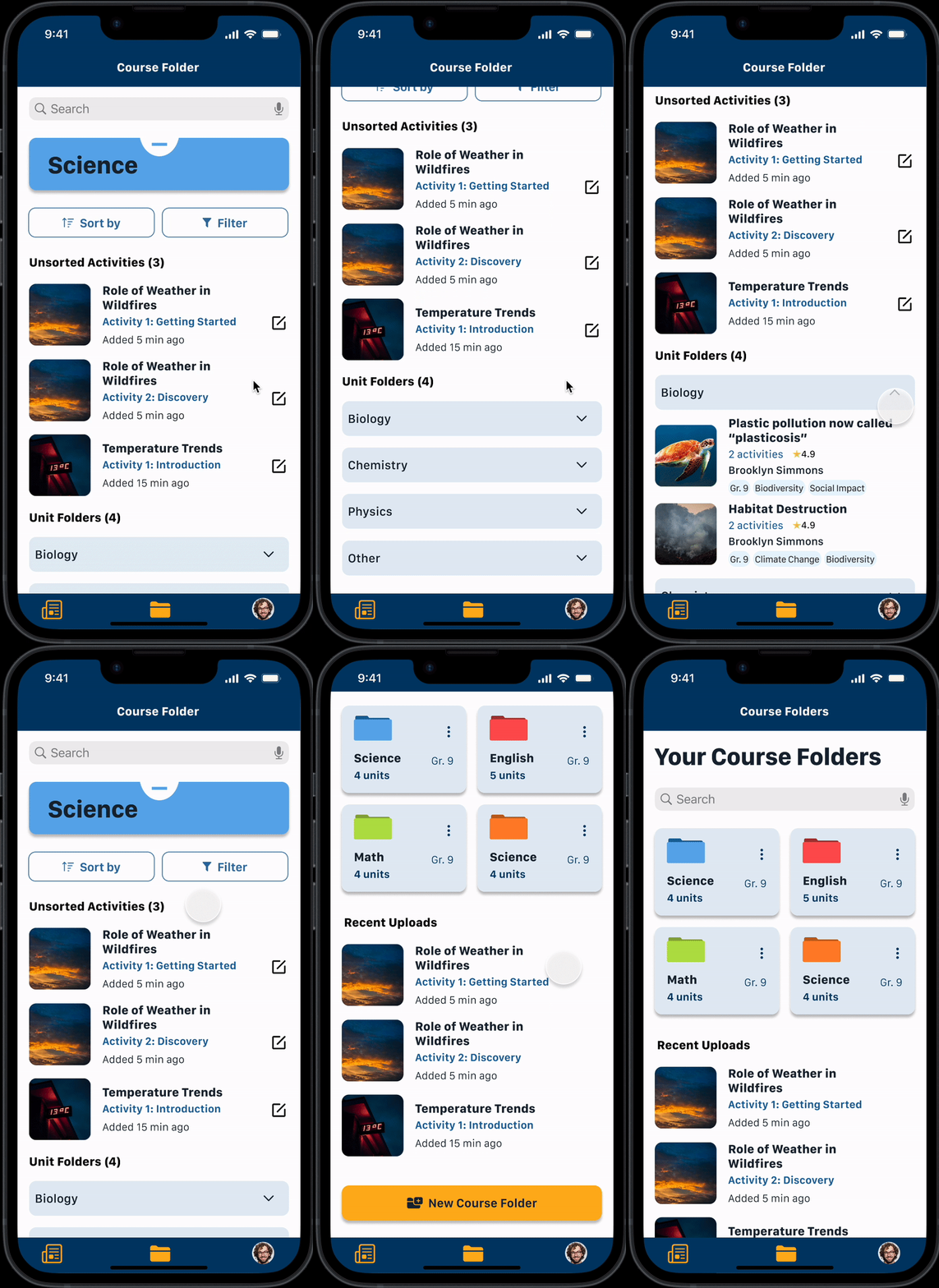
View Lesson Folders
Teachers can locate the individual activities they’ve added into their course folder.
Next steps: Add flow for users to create lesson subfolders to further categorize their added lessons.
The Impact
decrease in time when teachers use EduConnect compared to traditional methods
*based on 3 preliminary testers using benchmarking test.
44%
As the leaders of tomorrow, youth require the skills needed to understand what it means to be a citizen of the world. If teachers are unable to connect curriculum to what is happening in the world, it becomes difficult for youth to acquire these skills.
Background
In 1974, the United Nations recommended all education policies and curriculum to reflect global citizenship where students can learn to understand the world around them. Despite this, only…
of countries report having global citizenship education in their national policy and curriculum.
12%
of educators believe they can effectively teach global citizenship to their students.
33%
Design Process
I utilized a design thinking iterative approach to design the solution. As I had 10 weeks from concept to design, I had enough time to iterate during each step.
Research Methods
To validate whether Canadian teachers have similar experiences when teaching global citizenship to their students, I looked at their attitudes, motivations, and challenges faced when connecting their teaching curriculum to world issues using a qualitative research approach.
Methodology
Predefined interview guide questions
30 minute de-contextualized interviews
5 current Ontario teachers (any age)
Teachers must have had experience teaching or attempting to teach global citizenship in classrooms
Primary Research Findings
Interviews were recorded, analyzed and categorized under pain points, motivations, and behaviours. These categories informed common themes and insight statements.
The two themes listed below were among the most common among interviewees.
-
Educators find it challenging to stay relevant and current when things are always changing. They understand that when curriculum is relevant to their students’ lives, students are more engaged. As a result, educators take time to locate resources relevant to their students’ identity.
-
Educators experience lack of time, support, and resources to be able to find curriculum. There is often not enough resources provided and educators need to locate other alternatives (Ex. Web) to find these items. Resources often also need to be re-tailored to ensure they are student friendly and applicable to their classroom environment.
New Research Insights
Surprisingly,
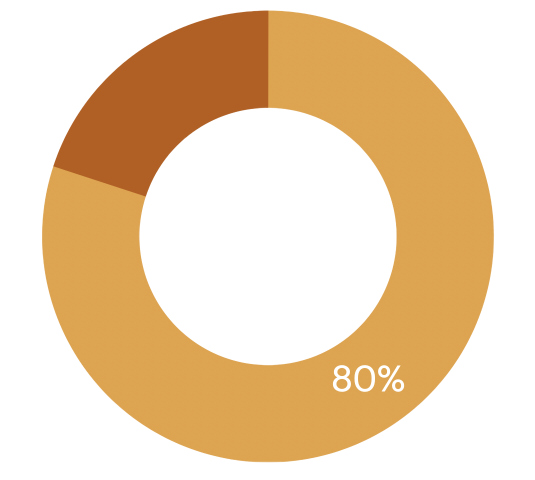
80% of teachers rated their confidence level 70% or higher, when asked how confident they were teaching about global issues to their students. This result was much higher than the findings from the secondary research.
Instead,
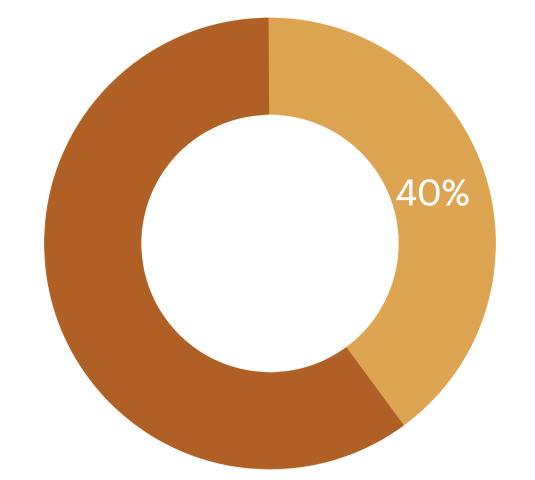
40% of educators have challenges with staying relevant and current in their curriculum when things are always changing.
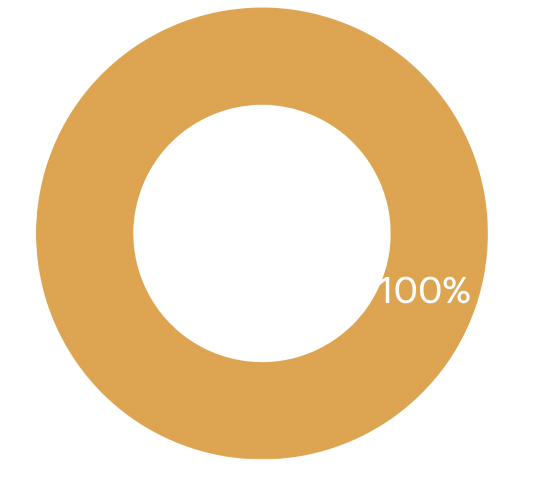
100% of teachers mentioned there was not enough time or materials to connect their curriculum to global issues.
This new insight differed from the original research. As a result, I had to consider another perspective:
I believe providing teachers access to resources directly related to recent global issues will increase student global citizenship.
This will reduce teacher’s time spent on locating resources and encourage a more student-friendly classroom experience.
Competitive Analysis
Products on the market currently offer either outdated lessons relating to global issues or subject-specific resources.
There were no direct competitors who offered subject-specific lessons related to current global issues.
Newslea provides educators lesson plans on global issues, but issues are not current.

Teachers Pay Teachers allows educators to buy and sell educational resources filtered by topic, but resources may not relate to current issues.

Nelson, a publisher, provides educators some resources on lesson plans on global issues, but lessons are not classroom-ready.

Opportunity
Knowing this, there is opportunity in creating a product that could address this gap by providing subject-specific lessons relating to current global issues.
The Challenge
How might we provide teachers with subject-specific lessons relating to current global issues in order for them to spend less time accessing and re-developing external resources?
Persona
To better understand the educator’s experience in this problem space, a persona and an experience map was developed to specifically target the educator’s pain points, behaviours, and motivations.
High School Teacher from Toronto, Canada

Elias Adams
🥅 Goals
relate curriculum to current global issues in order to improve students’ global citizenship levels
😤 Frustrations
overwhelmed by the challenge to continue staying on top of current news
frustrating to search multiple websites in order to curate classroom materials suitable for his class demographic
💻 Behaviours
spends enormous time after work looking and re-building resources to ensure they are current and relevant to his students
I looked for opportunities at the low points of the experience map to narrow the scope of my design. These areas were looking for resources online and the lack of resources and time.
User Stories
I created user stories and epics, to ideate what design features to include in the digital solution that will address teacher’s frustrations, goals, and behaviours when developing curriculum relating to current global issues.
-
be informed about current global issues so that educators can bring these topics into the classroom
relate their curriculum to current global issues so that they can relate to real-world scenarios
search for resources by topic and theme so that they can incorporate global citizenship into their curriculum
filter for grade appropriate resources so that teachers will not have to spend time re-writing resources to fit their students needs
-
Gain an understanding of the issues students want to discuss so that teacher’s can bring in relevant discussions into the classroom
have the age- appropriate vocabulary to talk about global issues so that classroom resources are student-friendly
-
connect with other teachers so that educators using the app can try out teaching methods that have been tried and true
connect with community leaders so that teachers can bridge their students to a current professional in the field
-
students can access their teacher's lesson online so that students can keep up with course content if they are away
students can read about current events and global issues so that they can be informed about the world they live in
students can extend their learning from class so that they can learn more about topics they’re interested in
-
Be able to assess their students so that their students can receive feedback on their content understanding and application
Be able to assess easily student learning gaps so that they can adapt their teaching to student needs
I primarily focused on the first epic, Curriculum Research and Development as it addresses the HMW statement of helping educators access lessons relating to current global issues in order to improve student global citizenship.
Other epics can be explored in the future for other task flows.
Task Flow
I grouped together common tasks to create a task flow teachers will complete.
complete a short onboarding process
View current global issues
Locate lessons related to chosen issue
Choose lesson to add into personal folder
The first iteration of task flow. Results from my usability testing changed the final task flow.
Sketching and Wireframing
I used the task flow and gathered UI inspiration to help inform the features, functionality, and layouts for my solution. Once I had an idea of the overall design I wanted to take my product, I began sketching out my ideas until I came up with my final sketch iterations.
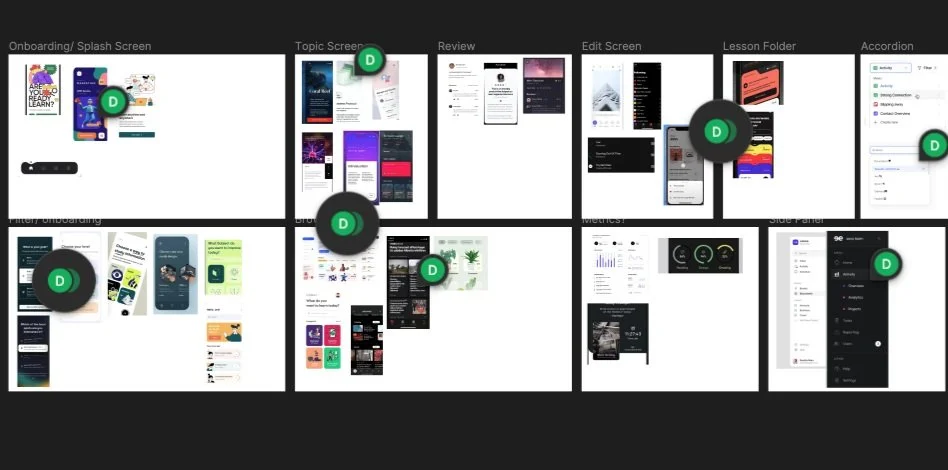
UI Inspiration
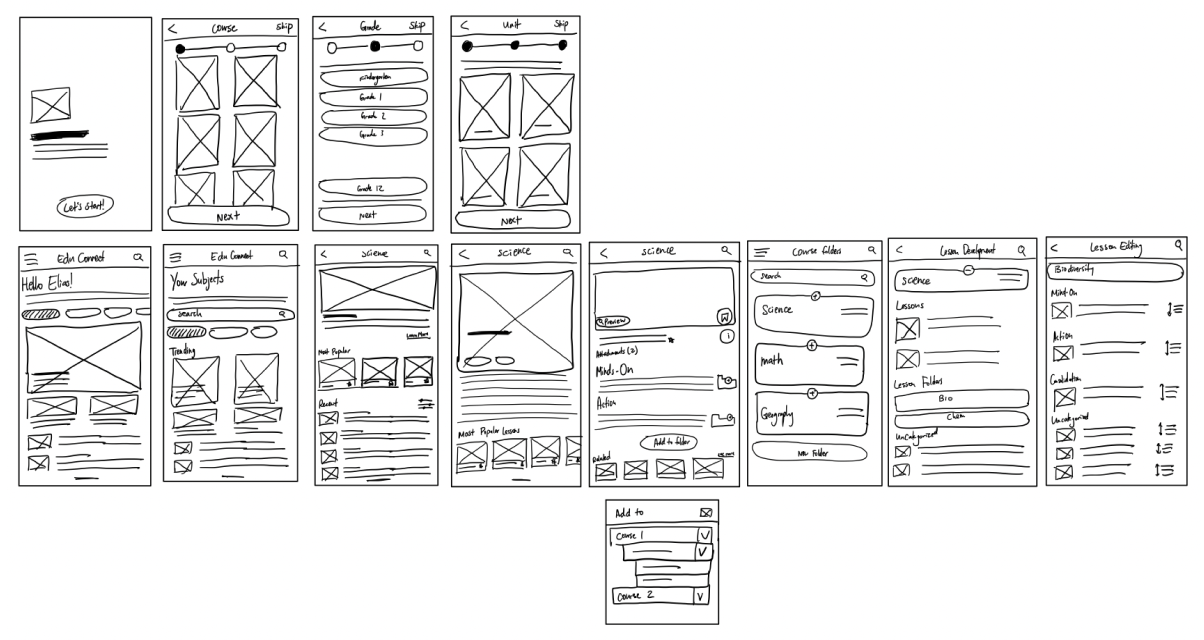
Sketching
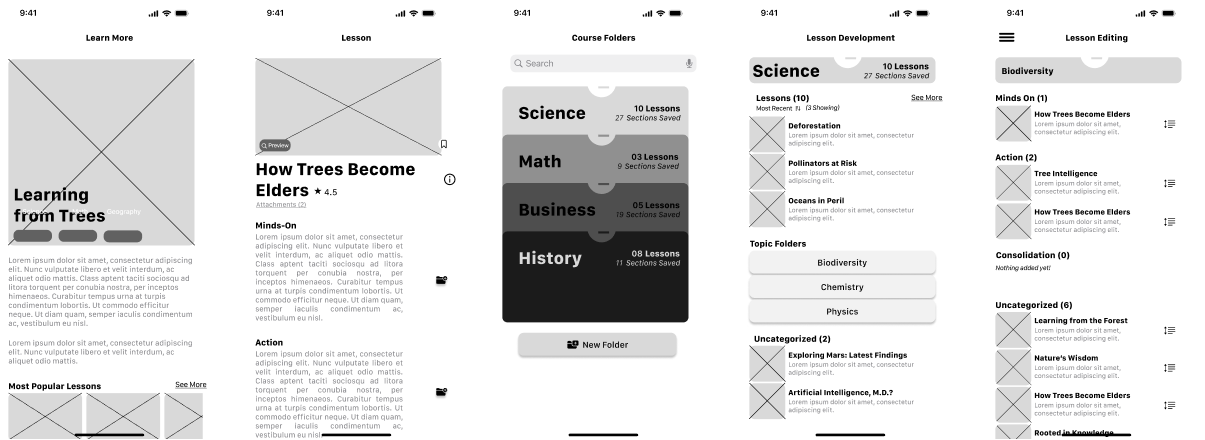
Lo to Mid-Fi Wireframing for Testing
Usability Testing
Conducting usability testing helped obtain feedback to improve user experience, app function and usability, and ease of use and function in users who may not be teachers.
Methodology
5 tasks for users to complete
10 testers across 2 usability testing sessions were recruited.
5 testers each session - optimal number to gain about 75% of insights.
insights consolidated, ranked in importance and difficulty, analyzed on a design prioritization matrix
Constraints
both usability testing sessions to be completed within one week including iterations between the session
Testers were not teachers and did not have a background in education
In test 1, users found the onboarding process to be streamlined but felt that their selections were not automatically reflected on the home page. Additionally, users had trouble distinguishing screens from one another due to similar UI layout and UX copy. Overall, users did not have trouble navigating from one screen to the next.
Test 1 Results
-
✅ Streamlined onboarding process
✅ Easily discover and browse for resources
✅ Information on unit content lacking in onboarding
❌ Difficulty differentiating between home page and subject specific article screen
❌ UX copy was specific to educators and not in laymen terms
❌ Folder organization layout was confusing
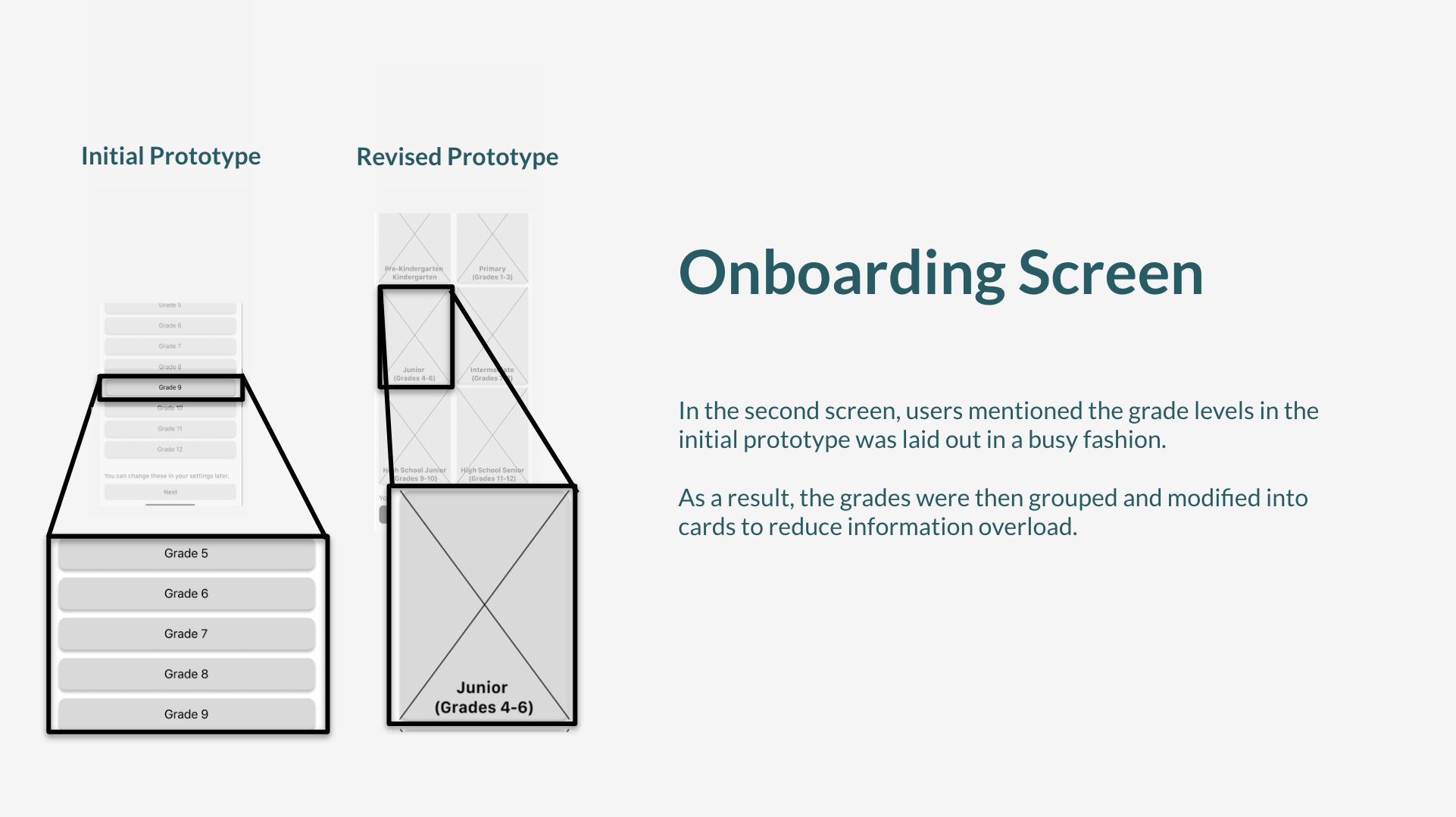
V1 to V2 - Onboarding Screen Changes
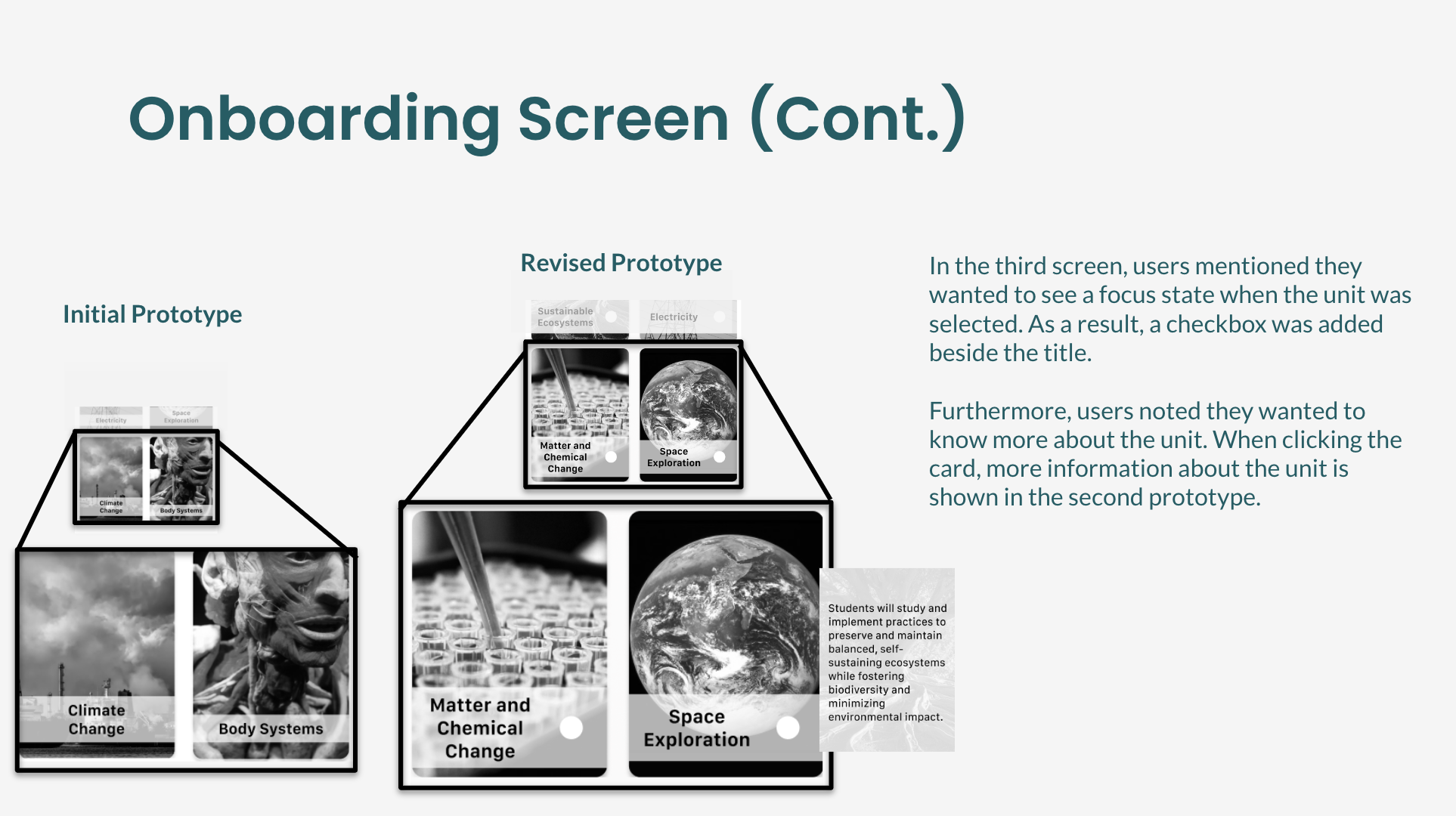
V1 to V2 - Onboarding Screen Changes
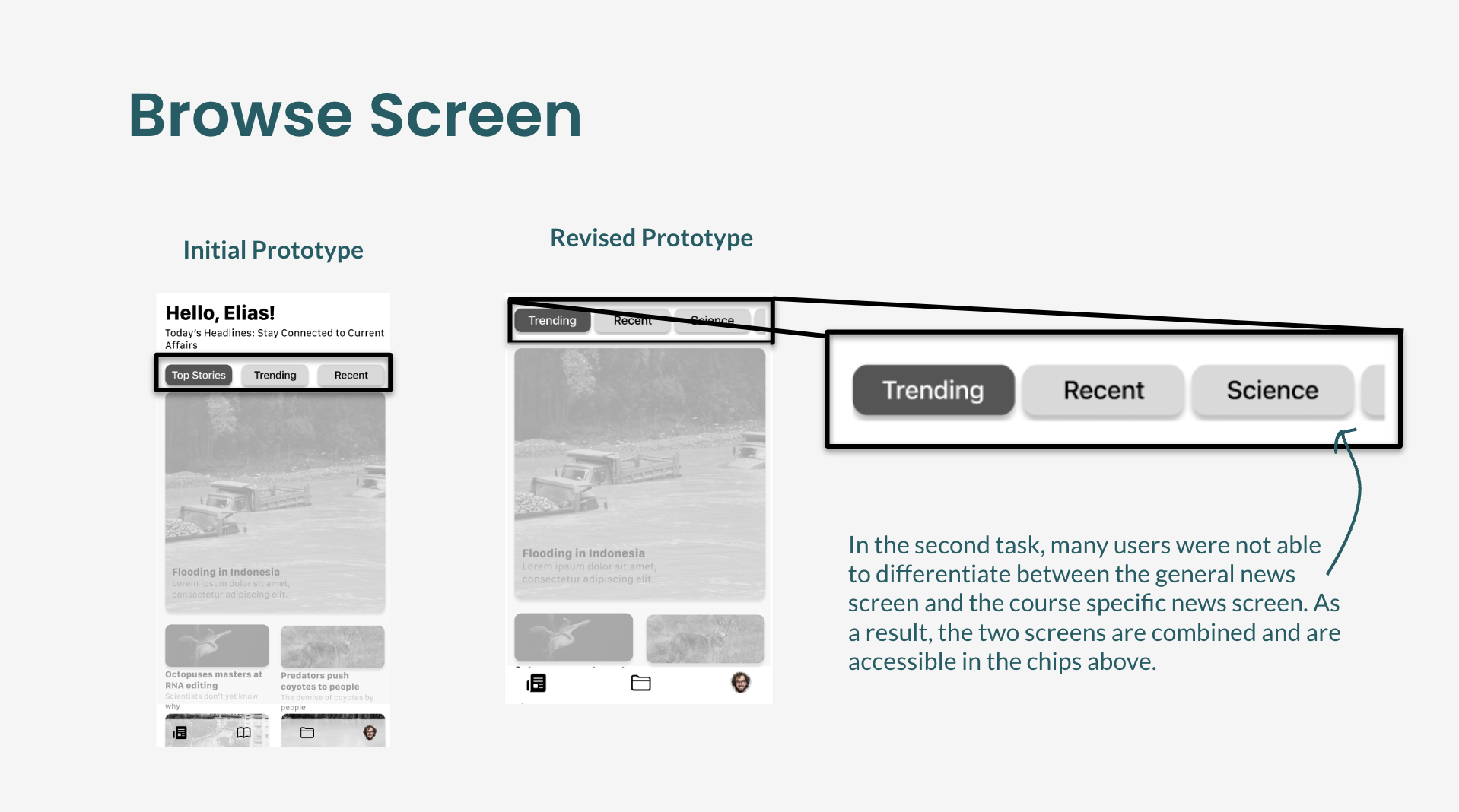
V1 to V2 - Browse Screen Changes
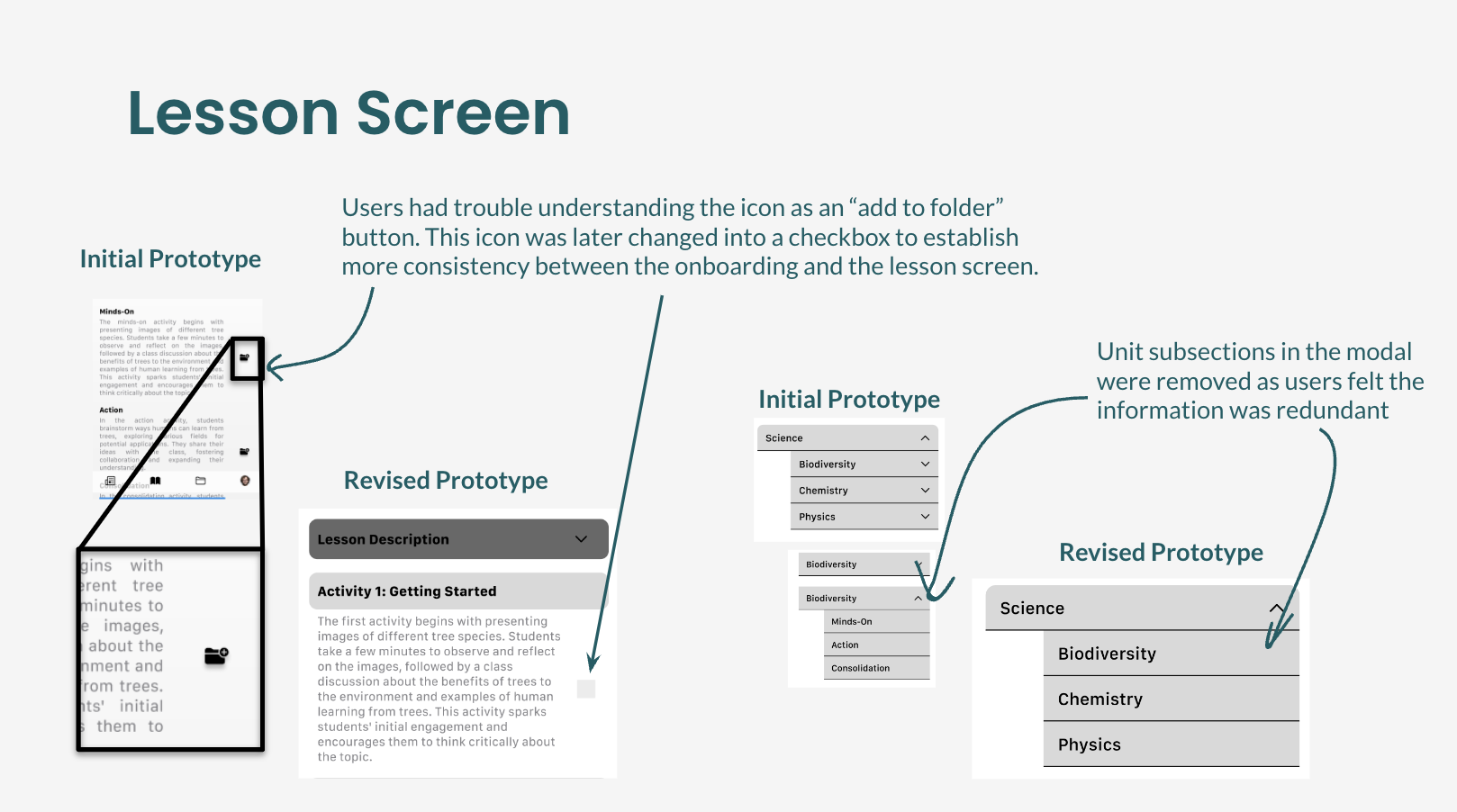
V1 to V2 - Lesson Screen Changes
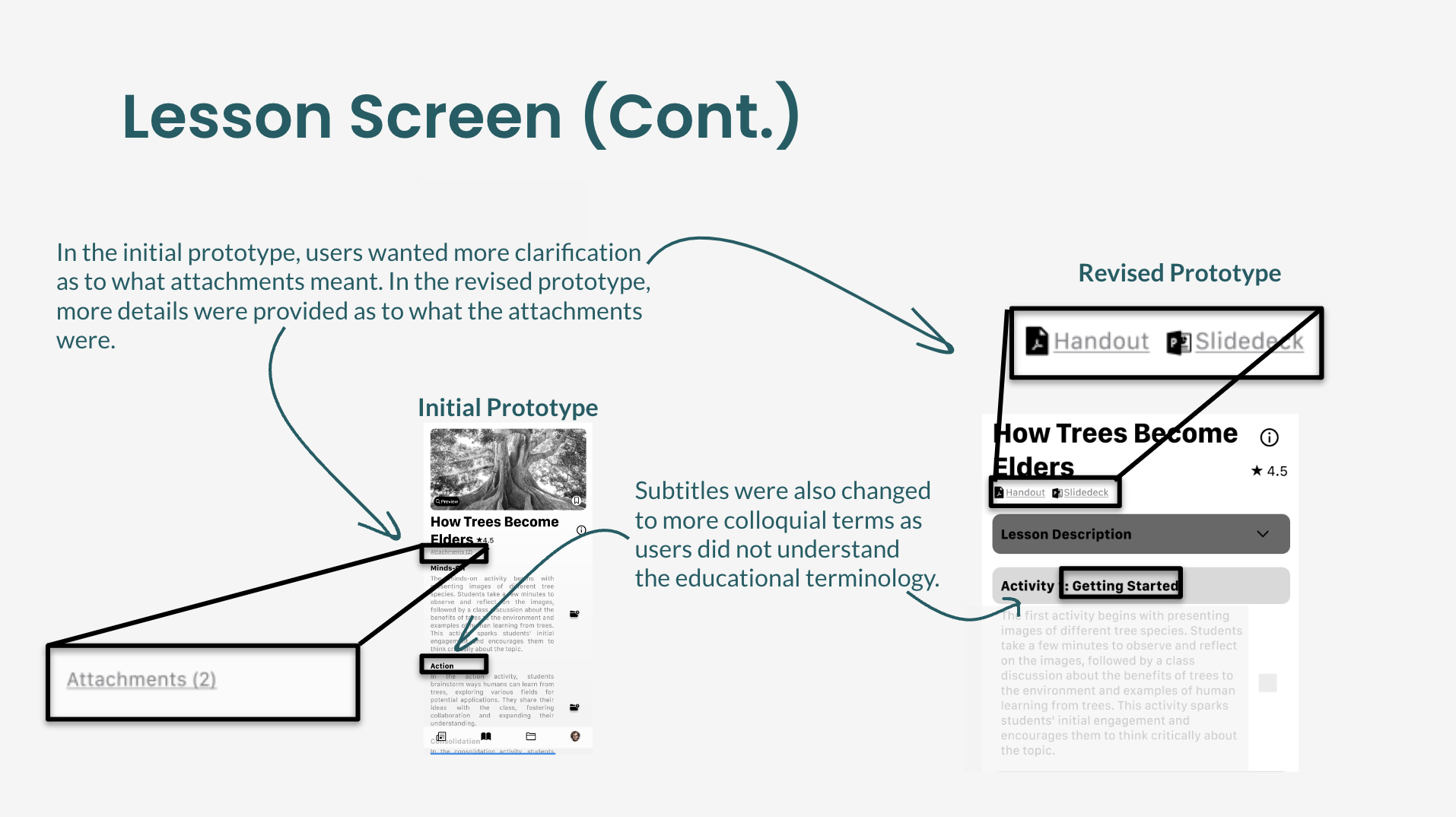
V1 to V2 - Lesson Screen Changes
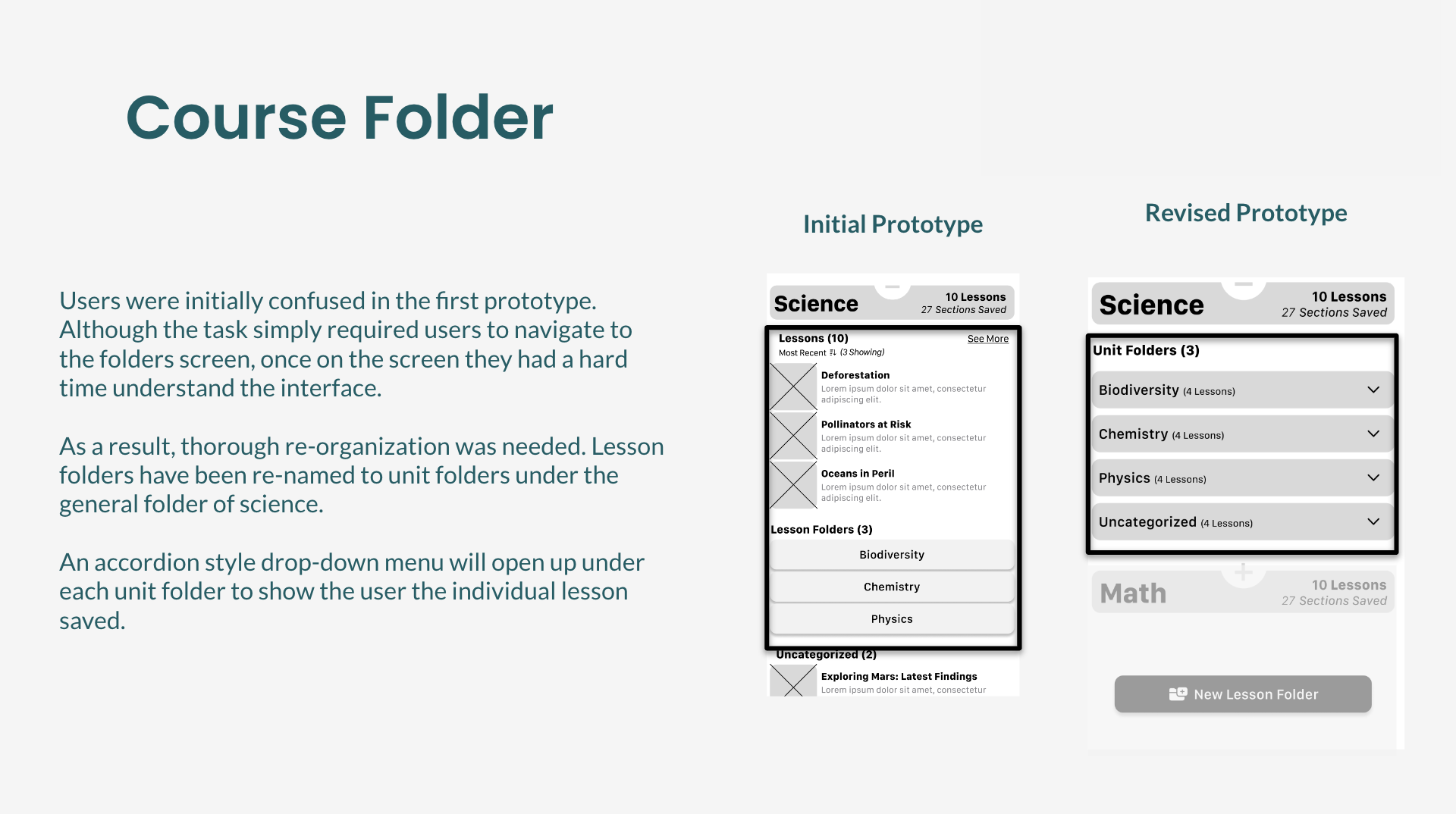
V1 to V2 - Course Folder Screen Changes
Once the changes from test 1 were improved upon, the results from test 2 were much more promising. However, there was still confusion regrading the onboarding screen as selection options were not as intuitive.
Test 2 Results
-
✅ Home page now easily understood
✅ Folder organization now easily understandable
⚠️ Confusion with how to add to folder
❌ Difficulty choosing unit now that unit information has been added
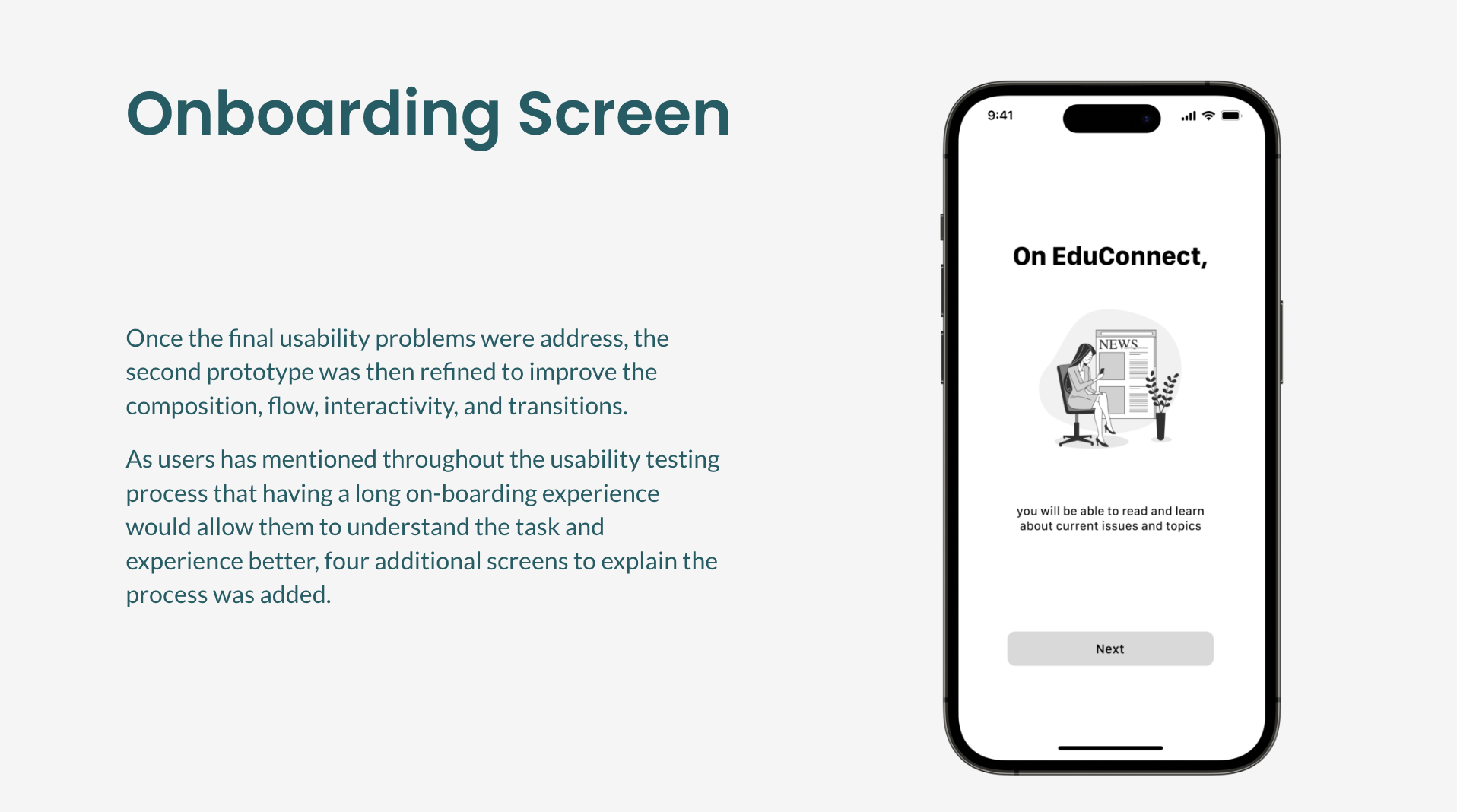
V2 to V3 - Onboarding Screen Changes
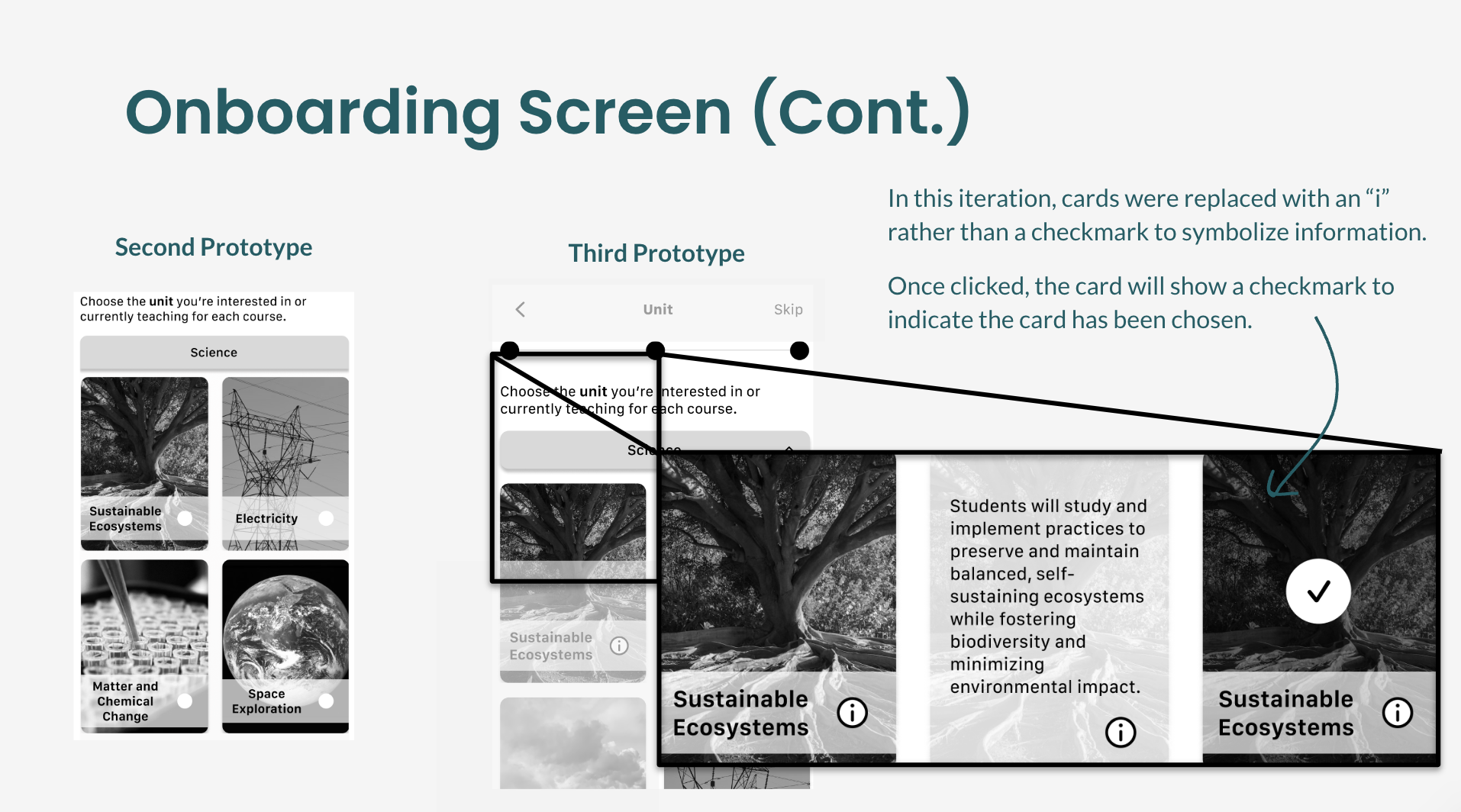
V2 to V3 - Onboarding Screen Changes
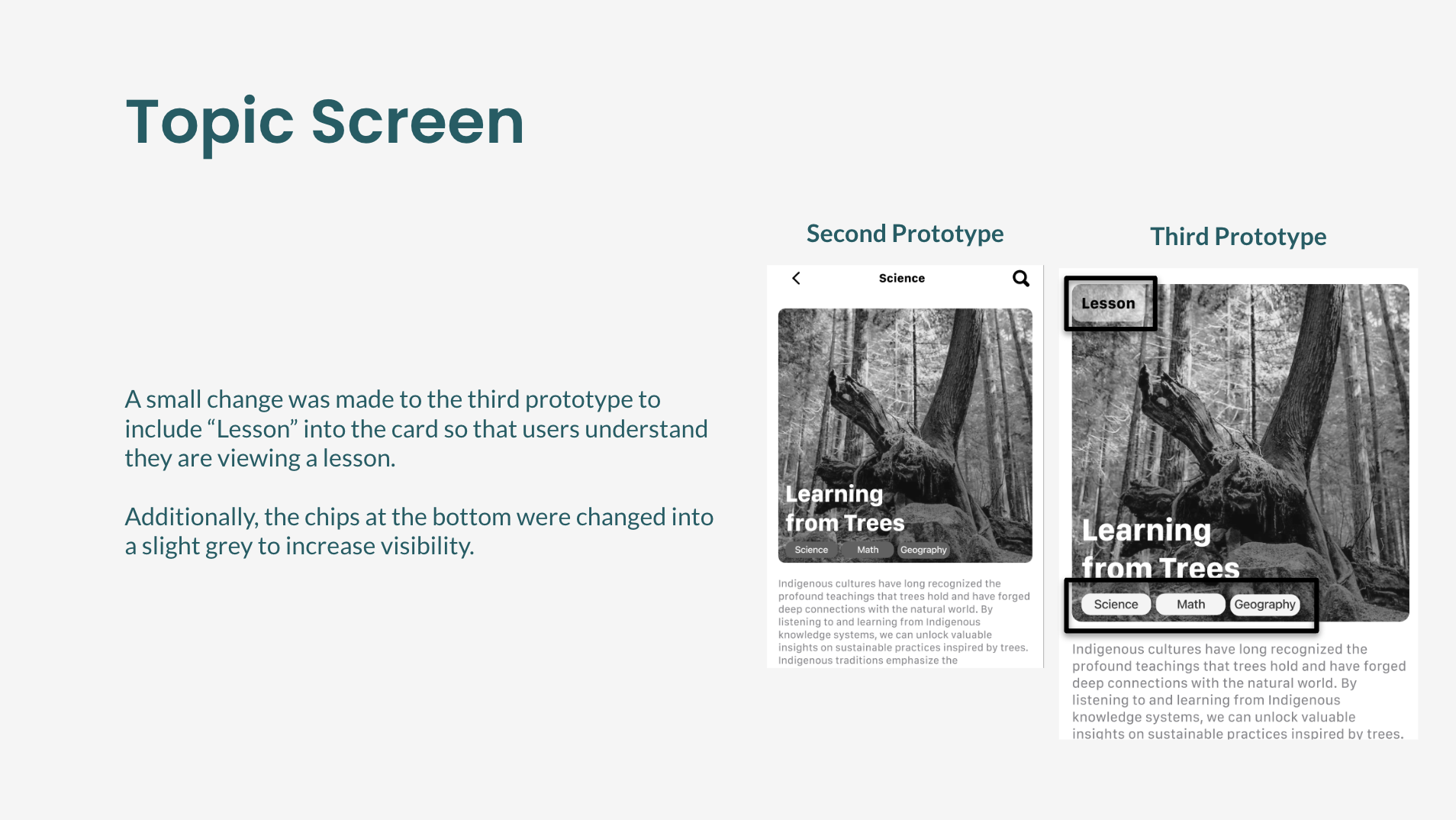
V2 to V3 - Article Summary Screen Changes
A/B Testing
Once I had a third iteration, I conducted A/B testing of various UI elements to ensure both my information architecture and UX copy helped streamline the user’s process of locating lessons relating to current global issues.
This method of usability testing was the most effective as testers were able to view and judge the component as a standalone element without influence from the task.
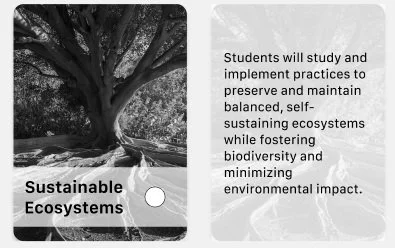
V1 - Radio button bottom. Users were not able to access additional information
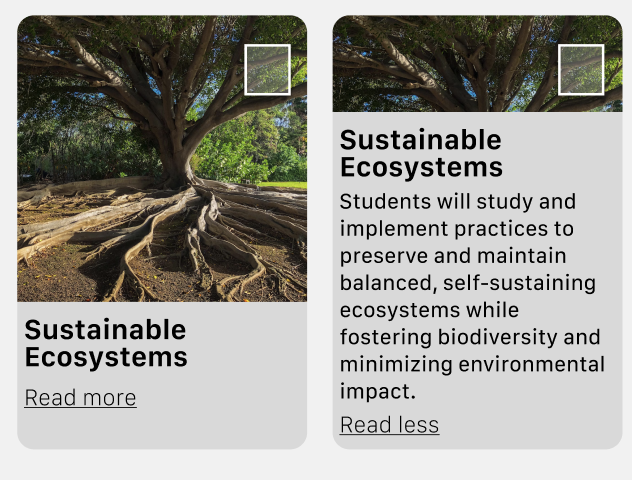
V2 - Checkbox top right. Read more link. Users were not used to UI pattern
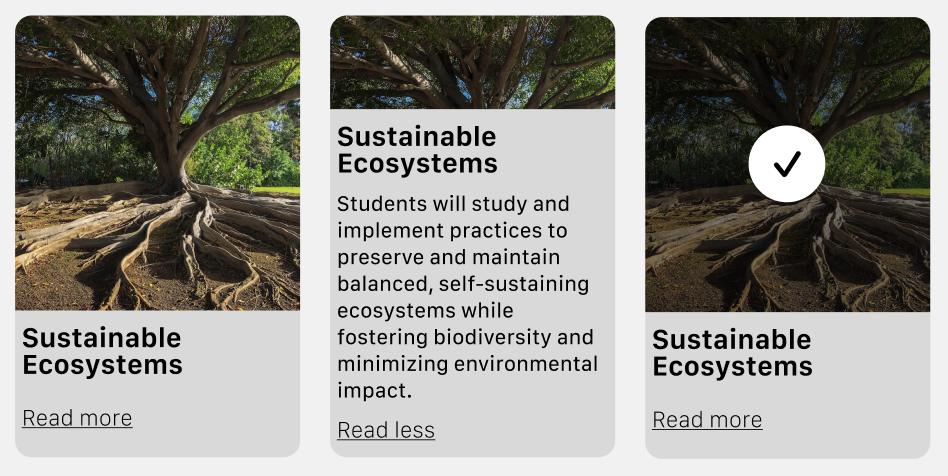
V3 - Read more link. Checkbox in selected state when users tap on picture. Selection option is not visible at first glance.
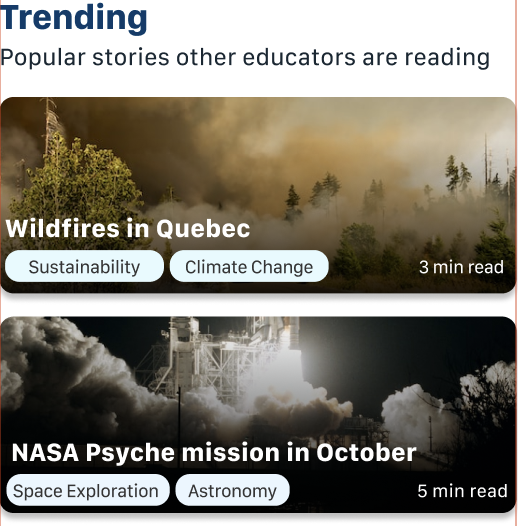
V4 - Onboarding process removed to allow for more user freedom and changes post-onboarding process. Unit titles are now related "tags" under news topic
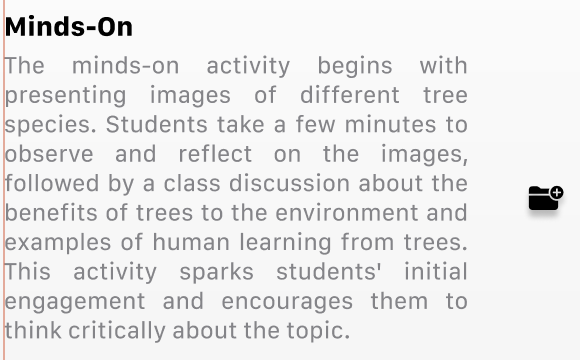
V1 - Users tap icon to add item to folder. Icon purpose was not immediately understood by users.
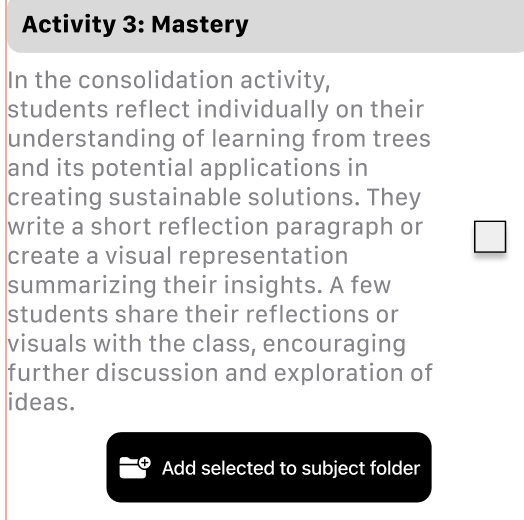
V2 - users tap on checkbox to select to add to folder. Extra tap required by user.
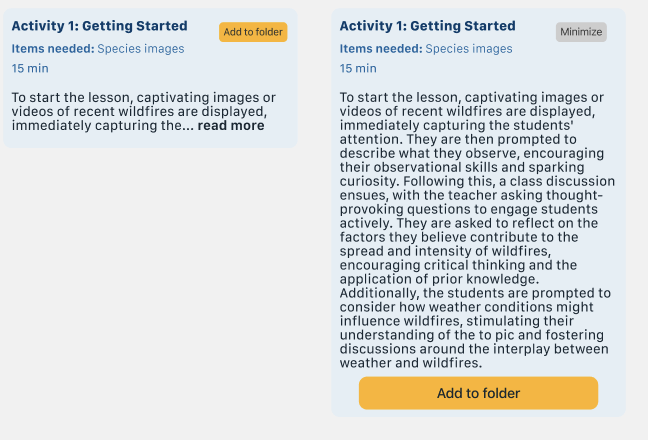
V3 - users able to add activity to folder with visible button copy
Improving Information Architecture
Onboarding process in choosing grade level, subject was removed. Replaced is a simpler process describing what you can do on EduConnect. To choose subject, grade level, and topic, users can choose from the chips or sort and filter when a specific topic has been chosen.
These changes will allow users the ability to continuously change their options as needed (N&N Heuristic Principle #3).
“Most Popular Lessons” relating to the lesson is now called “Related Lessons” and appears on a separate page.
These changes allow users to freely explore their options while also knowing where they are. Using the breadcrumbs at the top “Wildfires in Quebec”, users will know they are viewing “lessons relating to Wilfefires”.
Improving UX Copy
Adding activities into folders are now easily distinguishable using the “Add to folder” rather than checkboxes. Items needed are also specified under each activity as well as at the top.
These changes will allow users to immediately track changes (button) without needing to go back to review whether or not all items they want have been selected (N&N Heurustic Principle #6)
Brand Development
I used an adjectives list, a “More A than B” list, and moodboards to brainstorm the name for the product and overall brand identity.
One phrase I kept coming back to was “Slightly more modern than traditional” when going through this process. I wanted my product to still reflect traditional ideas of formal schooling, yet encompass modern design attributes.
-
I ultimately decided on a serif font for the product wordmark to communicate the traditionalism aspect, and sans serif font for the rest of the body text.
-
When deciding on a colour palette for my brand, I used the moodboard to extract colours to calibrate and colour theory to justify my decisions. Ultimately, blue and yellow were used as EduConnect’s primary and secondary brand colours.
-
When designing EduConnect, I kept in mind the Web Content Accessibility Guidelines (WCAG) to ensure text and images were at the highest Level AAA compliant. Accessible design allows for users, regardless of ability, to be able to utilize the product design.
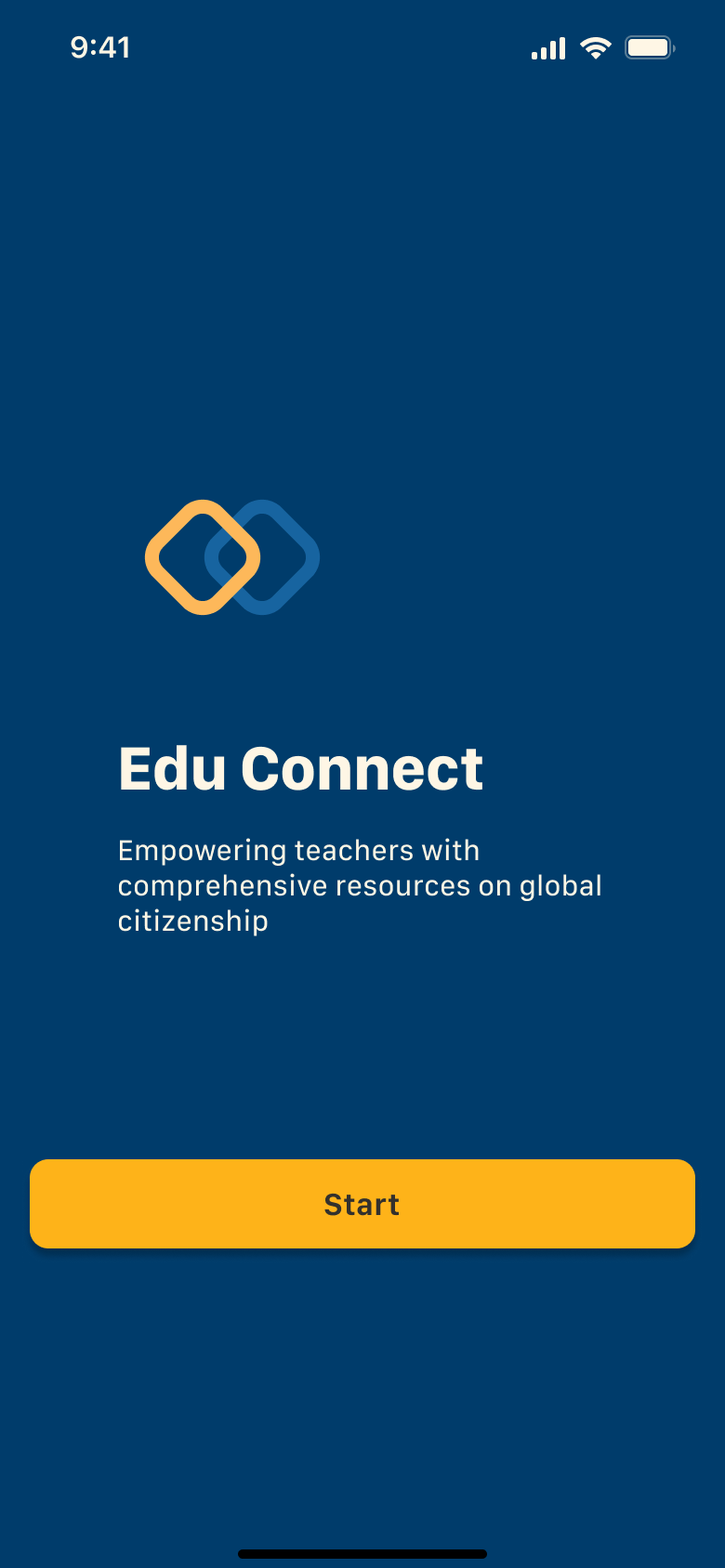
Onboarding Screen
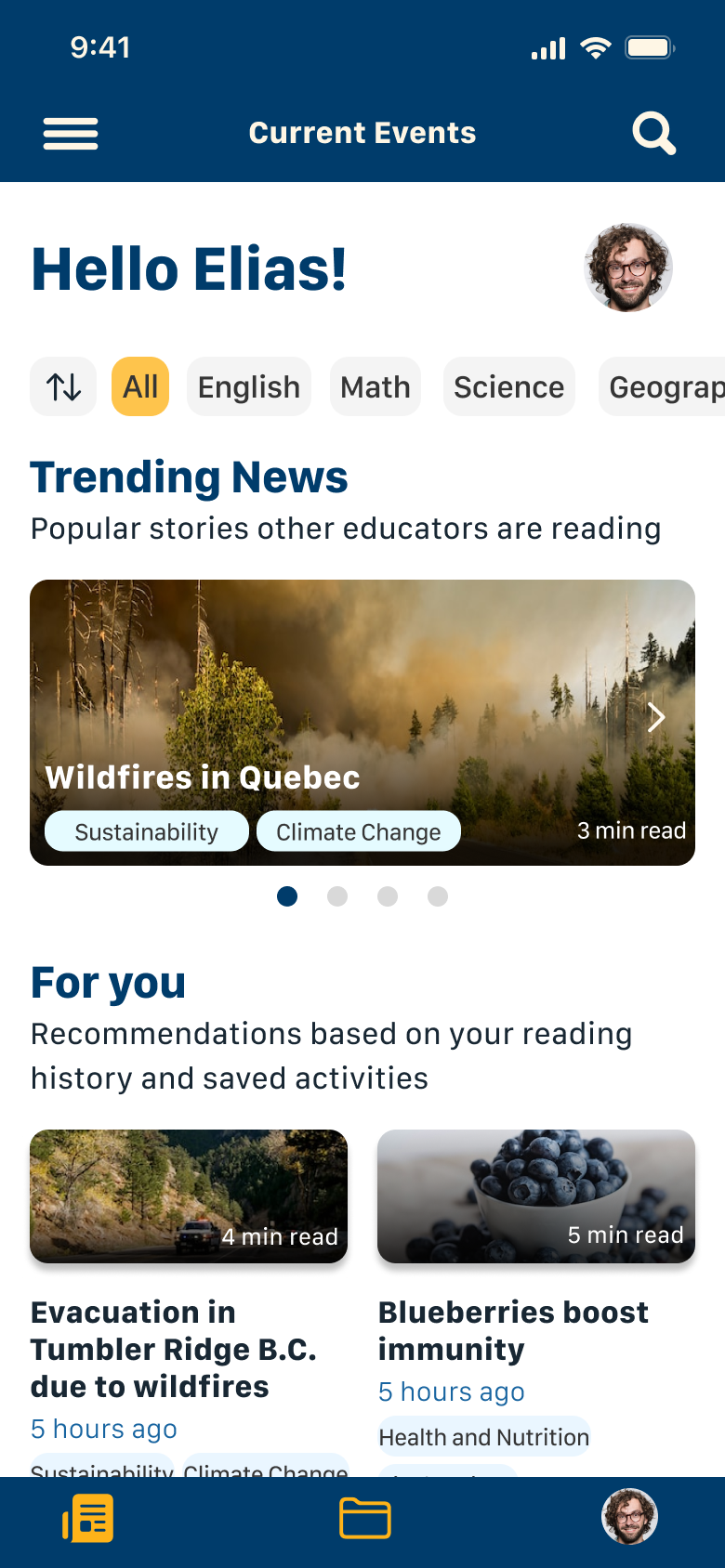
Article Browsing Page
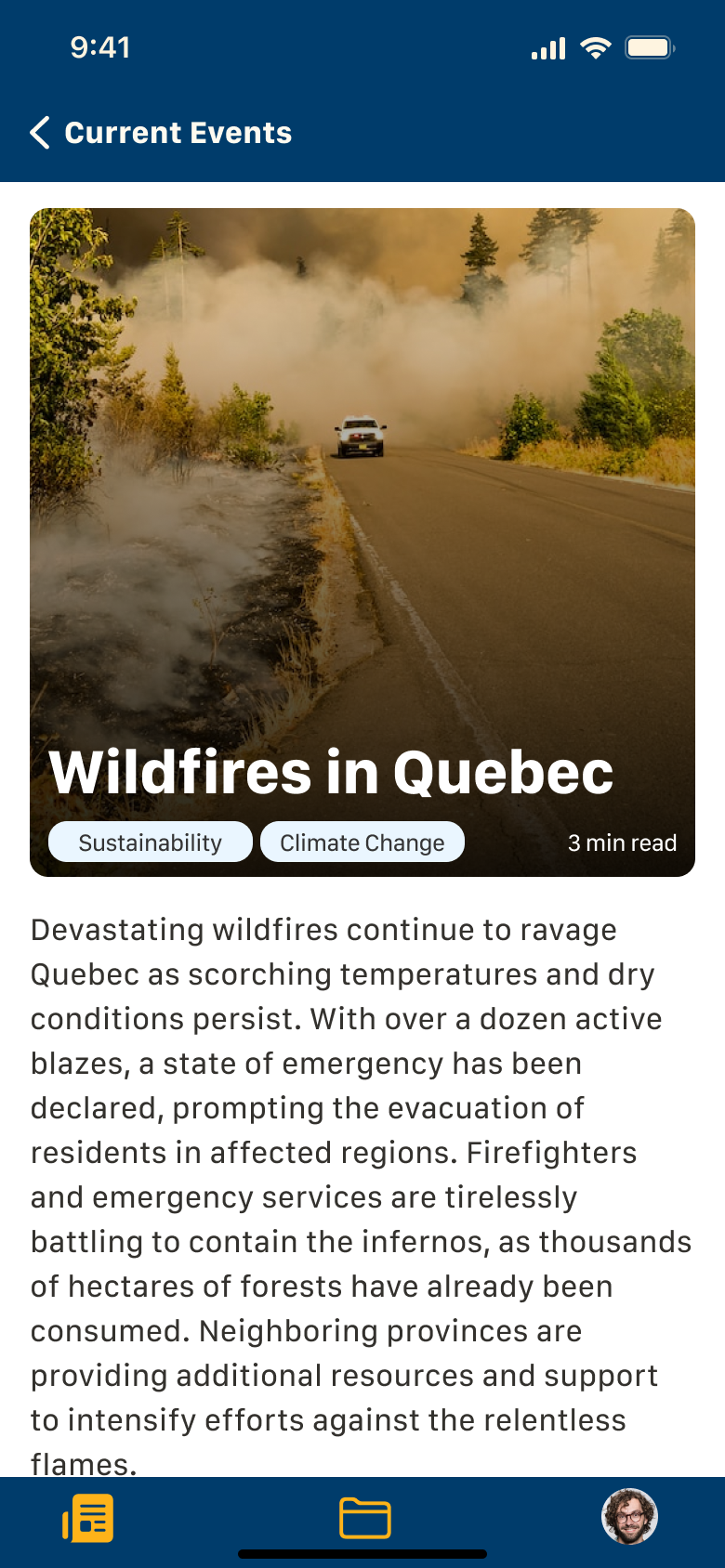
Article Summary Screen
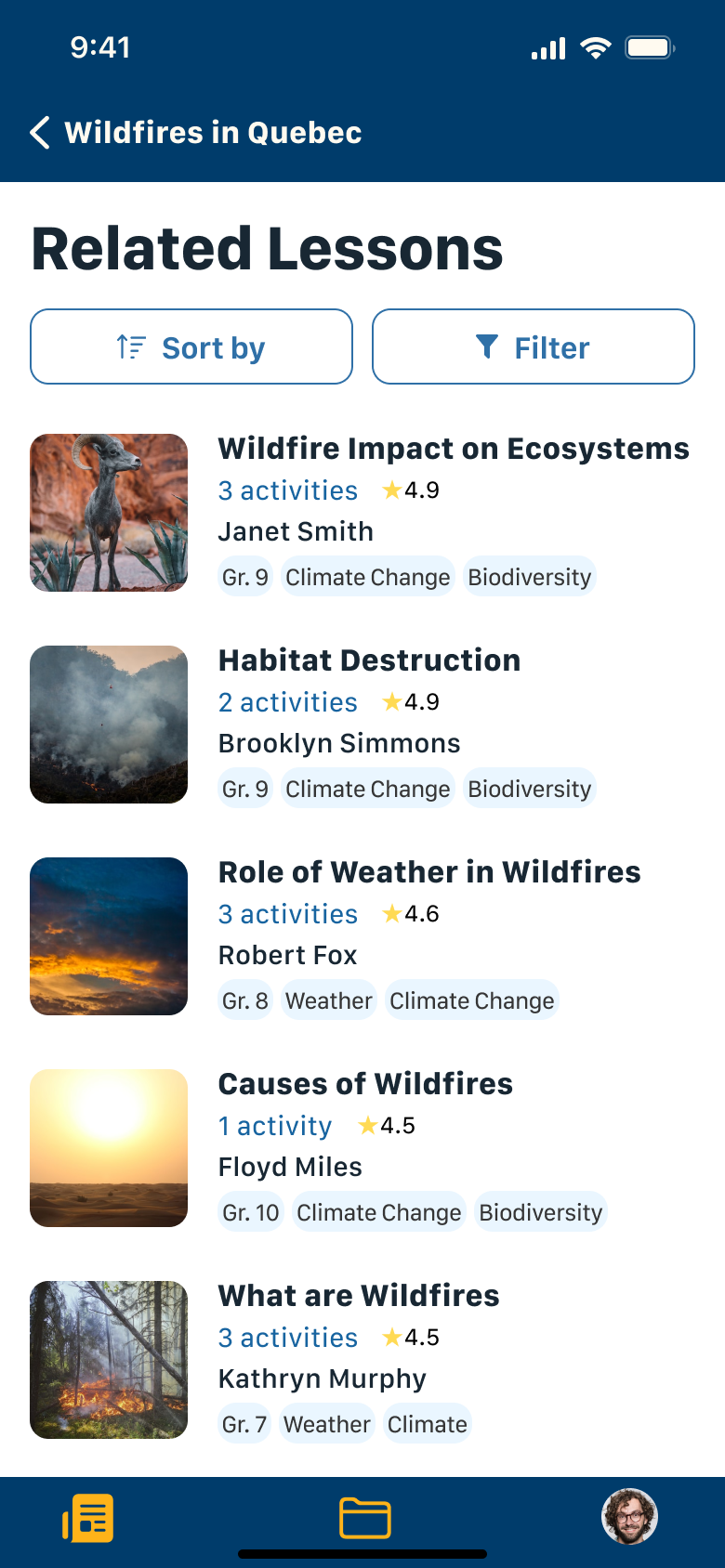
Related Lessons Screen
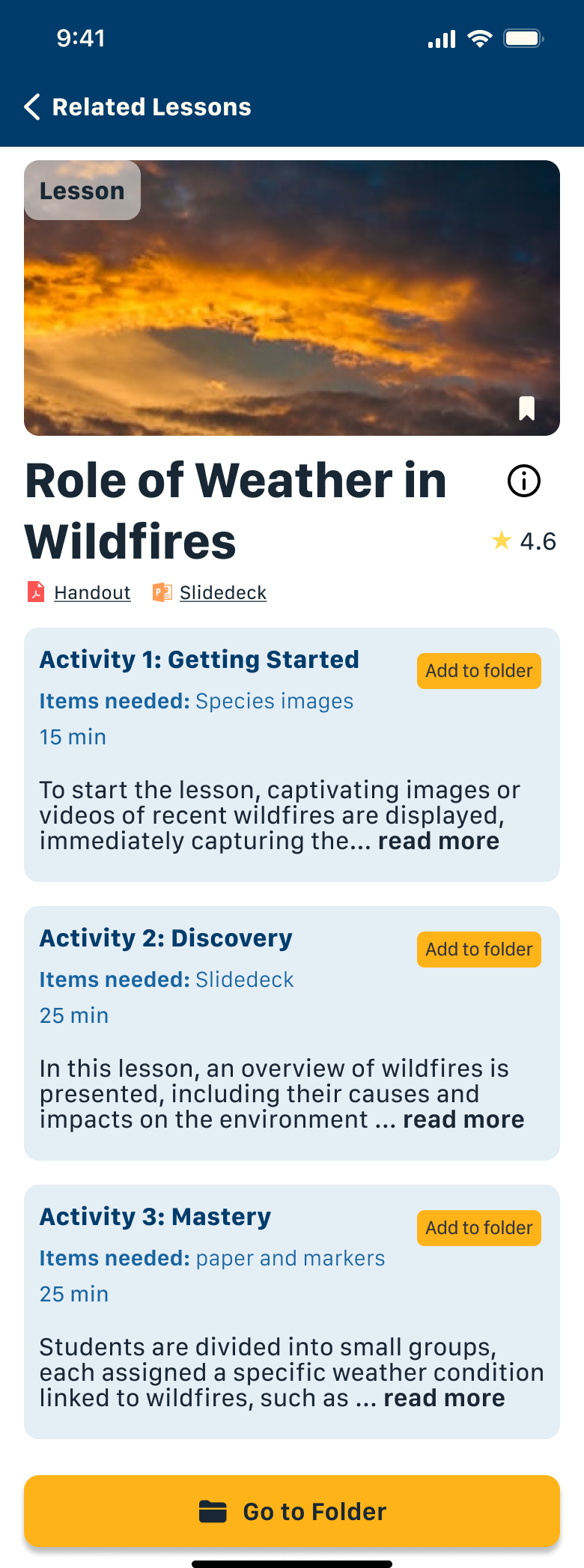
Lesson Screen
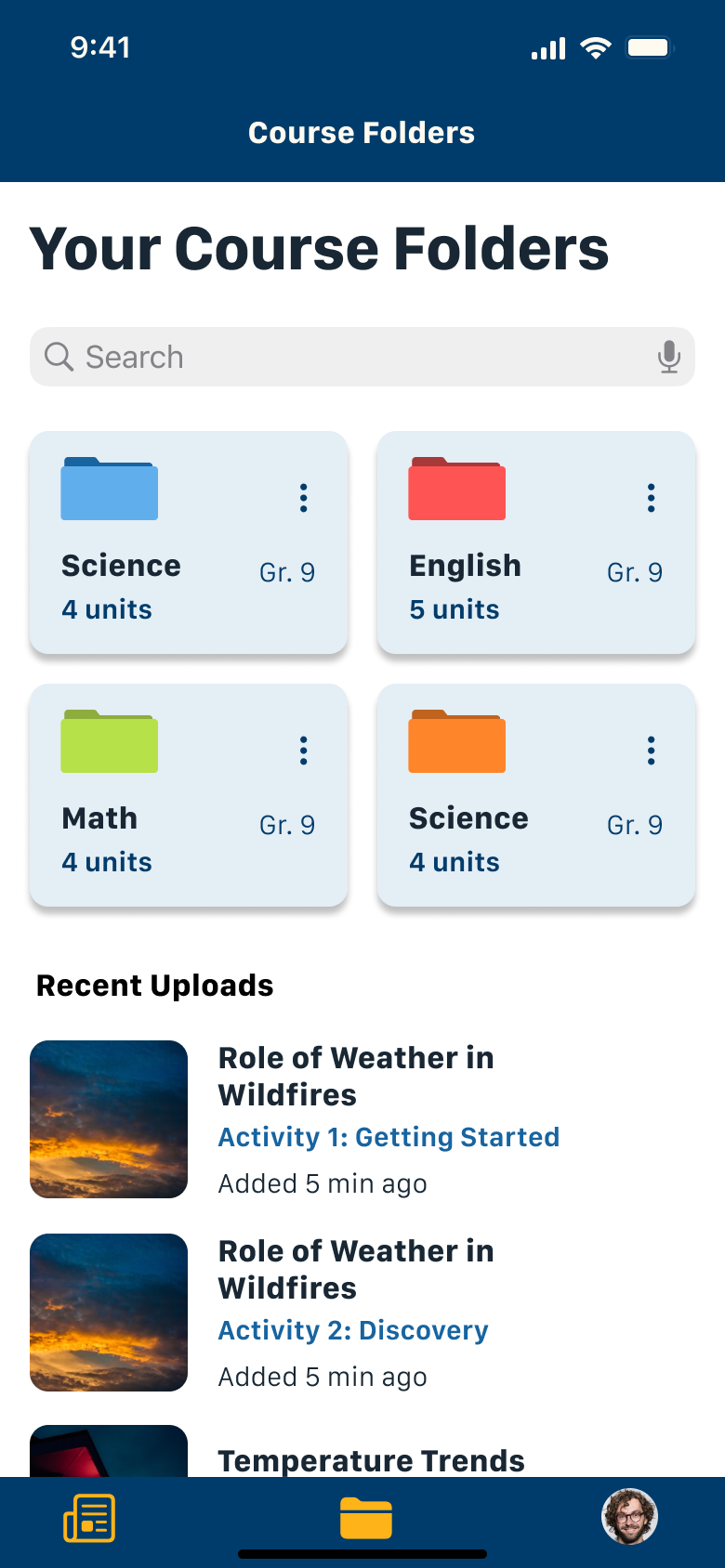
Folder Screen
Impact
Improved time efficiency by 44%
Recruiting 3 users for preliminary benchmarking testing, users experienced a reduction in time by 44% when using EduConnect. Testers were asked to complete two timed tasks - one using traditional methods, another using EduConnect.
Task 1 - Traditional Search Method (Timed)
Using preferred search engine, users were to access a news article to read.
Find one classroom activity students can do relating to the news article
Save activity to a folder on their cloud or computer
Task 2 - Using EduConnect (Timed)
Using EduConnect, users were to access a news article to read.
Find one classroom activity students can do relating to the news article
Save activity to folder
Using EduConnect, users are able to reduce the time it takes to find current news and lesson plans relating to their classroom curriculum. EduConnect provides:
estimated reading time feature to utilize time efficiently
short news article summaries
one single platform hosting both news article summaries and classroom resources
Next Steps
Machine learning and artificial intelligence (AI) is improving by the day. Incorporating AI into EduConnect will allow for educators to toggle for AI created lesson plans based on current educators resources. The more resources that are put on EduConnect, the larger the database there is for AI to create new suggestions and iterations on existing lessons.