managing and transitioning user accounts
PROJECT SUMMARY
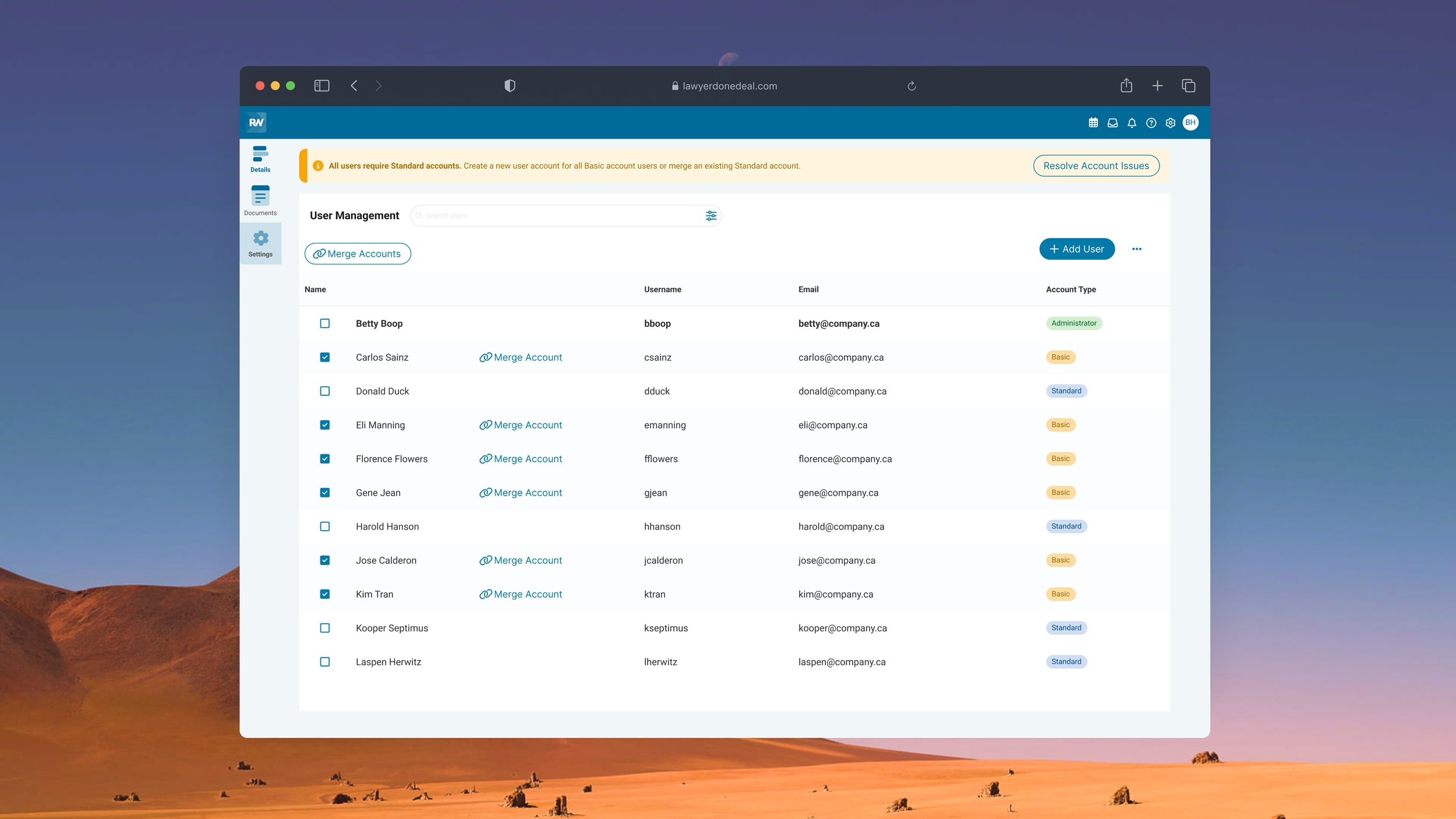
Transfer Basic user accounts into Standard accounts to allow more users to benefit from Realti’s modernized tools and enhanced capabilities. Realti is a SaaS application for real estate lawyers and clerks to complete and close legal transactions.
PROJECT GOAL
Allow administrators to have control and oversee the account transition process while minimizing data loss and day-to-day workflow disruption.
MY ROLE
Conceptualization
Design
Collaboration with developers
TEAM
1 Design Lead
1 UX Designer (me!)
1 Developer
1 Consultant
This project is under a NDA and the context has been slightly altered to protect confidential information.
However, the design process, challenges, and solutions accurately reflect the nature of the original work. For more information, please contact me for more information about this project and my experience at LawyerDoneDeal.
GOAL
Design a workflow enabling Administrators to merge duplicated Basic and Standard accounts to preserve user data and ensure seamless access to new tools and functionalities.
PROJECT CONSTRAINTS
In a simpler scenario, we could have matched accounts with the same information, and deleted the duplicates, but several constraints stood in our way:
User Hesitancy to Automation
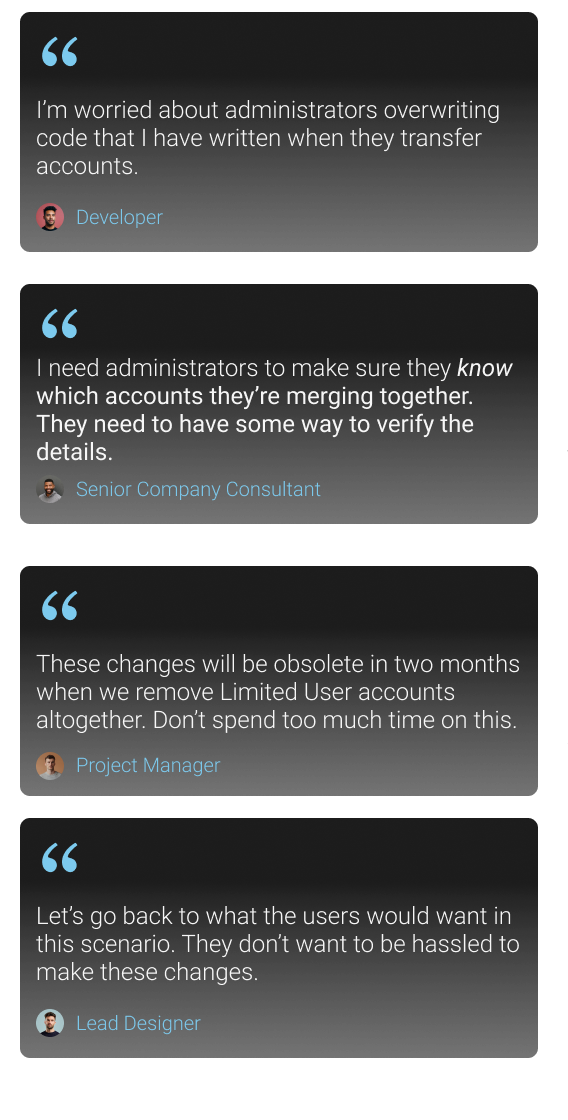
In the past, users had shown hesitancy toward automated processes, often fearing they had lost their data. As a result, we couldn’t simply just change all Basic accounts into Standard accounts - instead requiring the need to design a workflow that allowed users to manually do this process themselves.
Technical Programming Constraints
Basic and Standard accounts were stored in separate databases. The lead developer was hesitant about migrating data directly and risk of overwriting critical information.
OBJECTIVE
one workflow, but manage competing stakeholders
As the primary UX designer on this project, my main focus was to ensure this account transition process was as simple and least tedious as possible for administrators.
The workflow needed to take into account the concerns of various parties - the developer’s worry of overwriting data and existing code, and the user’s worry of losing their data, all the while making the account transition process as least disruptive as possible.
01 Reduce Monotomy
Streamline the transition process and reduce the manual workload of transitioning user accounts - especially relevant for accounts with many users.
02 Preserve Existing Data Minimize Data Loss
Ensure Administrators know which accounts they are creating accounts for or merging together and minimize data loss.
03 Minimize Disruption
Ensure the design allows account changes to be completed without disrupting day-to-day work
Reduce Monotomy
automating the account transition process
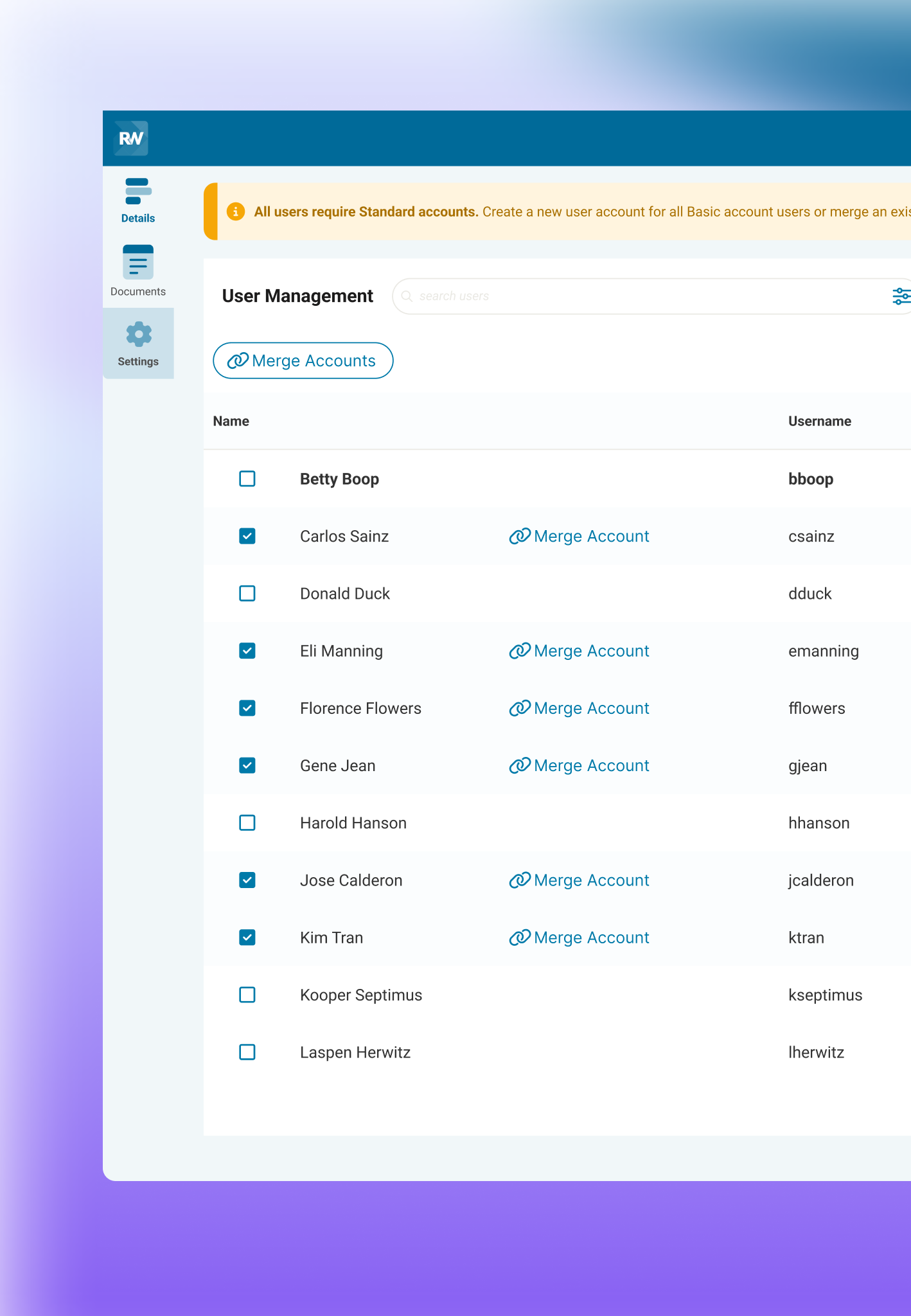
To streamline the transition and reduce manual effort, I worked with the developer to introduce an auto-matching process based on name and email. Basic and Standard accounts with the same name and email were “matched”, and we provided Administrators with a “merge” button to sync these two accounts together. This approach let them focus on a specific user subset (having duplicated accounts) without having to manually match every account detail.
Preserve Existing Data and Minimize Data Loss
DESIGNING WITH SAFEGUARDS
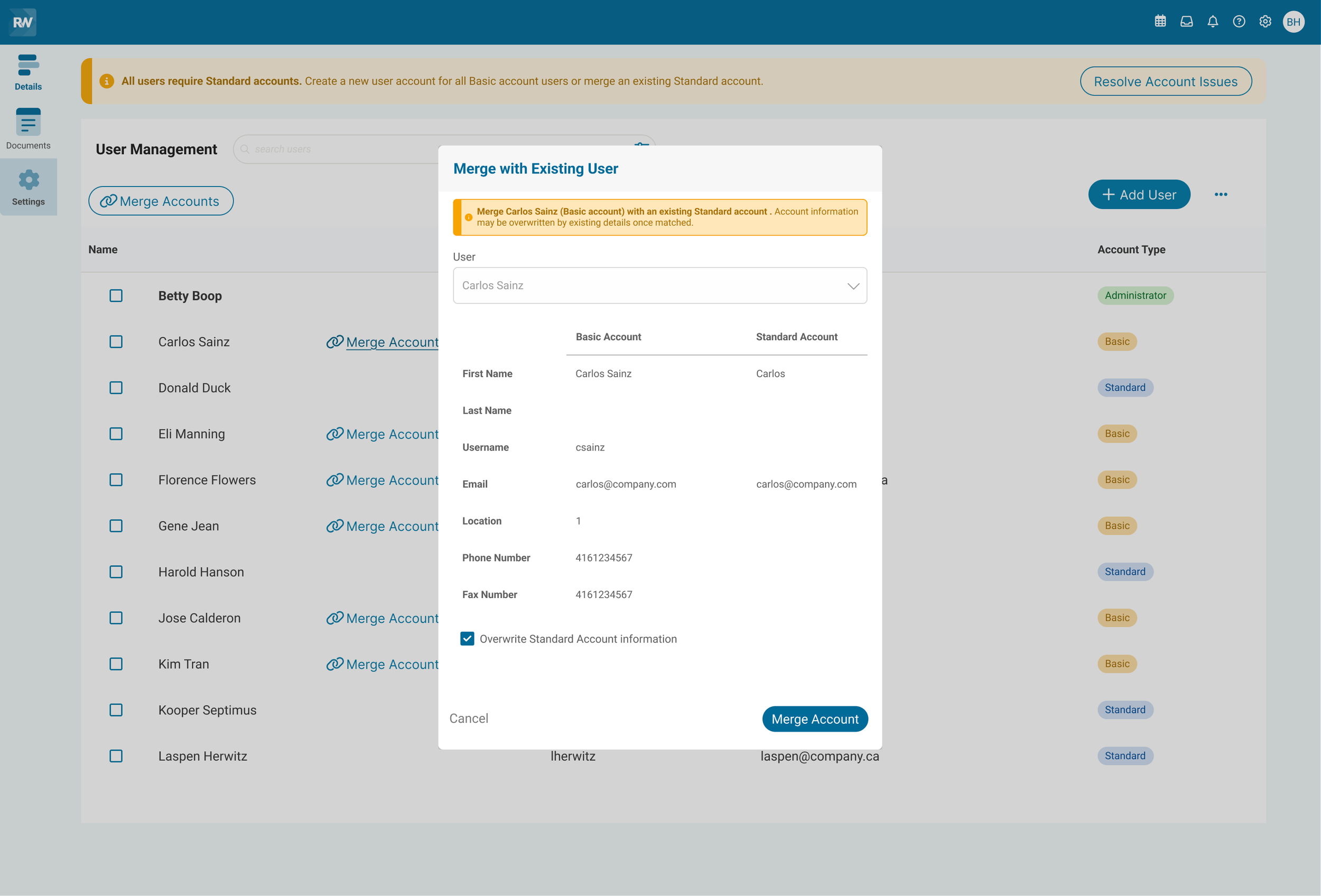
To ensure a smooth, controlled transition—and to give both developers and administrators peace of mind about data loss or overwrites—I incorporated several safeguards into the design.
Allow overwrite checkbox
to ensure administrators also took responsibility and control during the account transition process, I added an "Allow Overwrite" checkbox. This step required administrators to explicitly confirm any changes, and promote careful decision-making.
Overwriting Specific Data
On the backend and programming side, I worked closely with the developer to ensure that only usernames were replaced when matching Basic and Standard accounts. Rather than overwriting existing data, new rows were created in the database for any information being transferred. This approach preserved the integrity of existing data and prevented loss of critical user information.
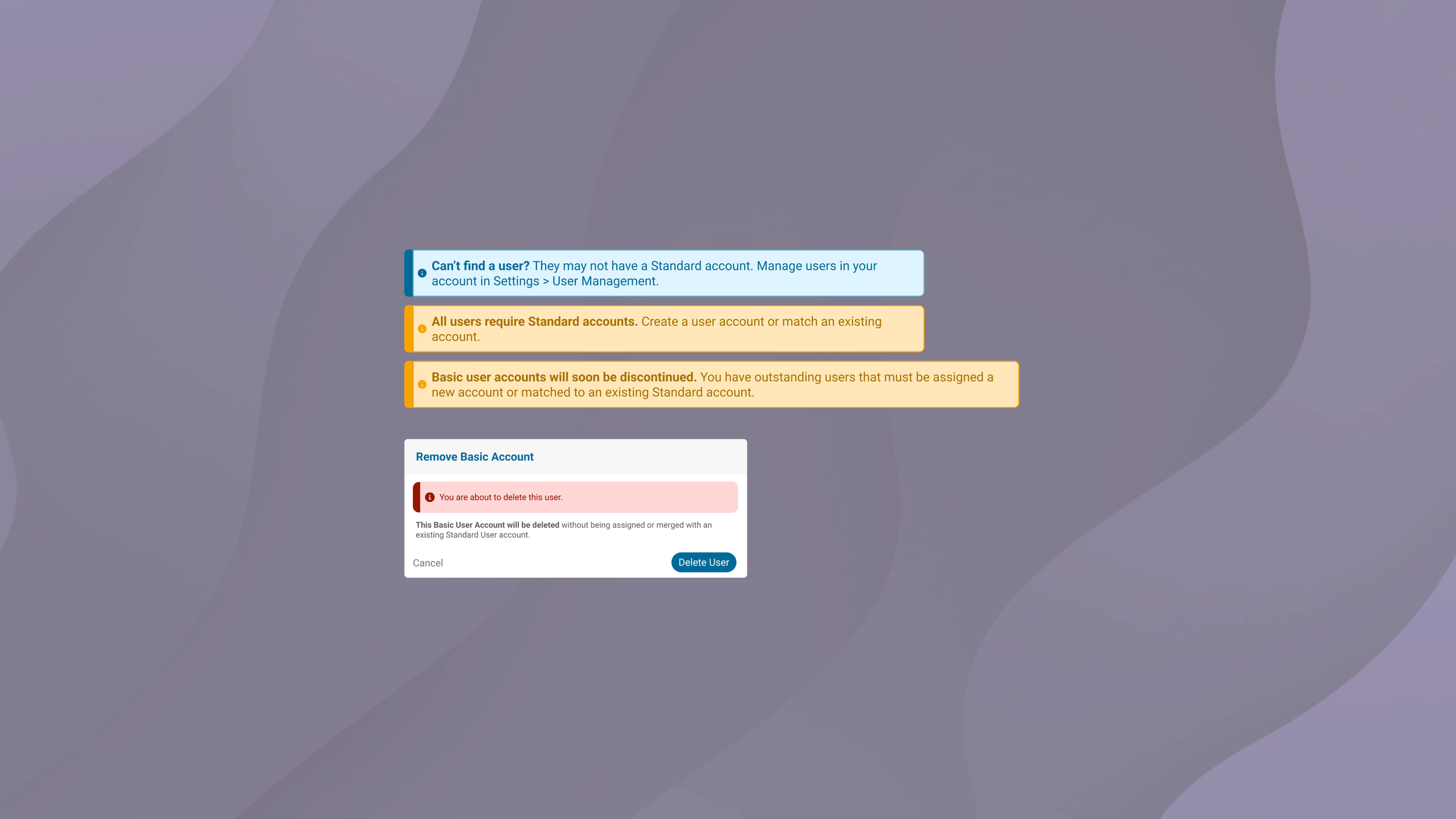
Using Alerts for Progressive Disclosure
To guide administrators through the transition process, I placed alerts strategically to escalate urgency. Each alert became more action-oriented, utilizing colour and copy that pushed the Administrator toward the next step of the transition process while keeping it clear and manageable.
CHALLENGES
delivering a usable design amidst programming and user constraints
The design process had a lot of back-and-forth with the development team to fully understand the limitations of working with two separate databases. As we explored these constraints, I had to iterate on the design multiple times to accommodate the technical realities we were facing.
In the end, the final design still had limitations, particularly with the auto-matching feature. We were unable to transfer all data from one account to another and required users to update their information. To resolve this, we created a help article to address user questions and provide additional clarity.
Through this experience, I learned that sometimes the best solution is about finding one method that works best given the constraints. I learned the importance of adaptability, collaboration, and managing expectations in both design and development.